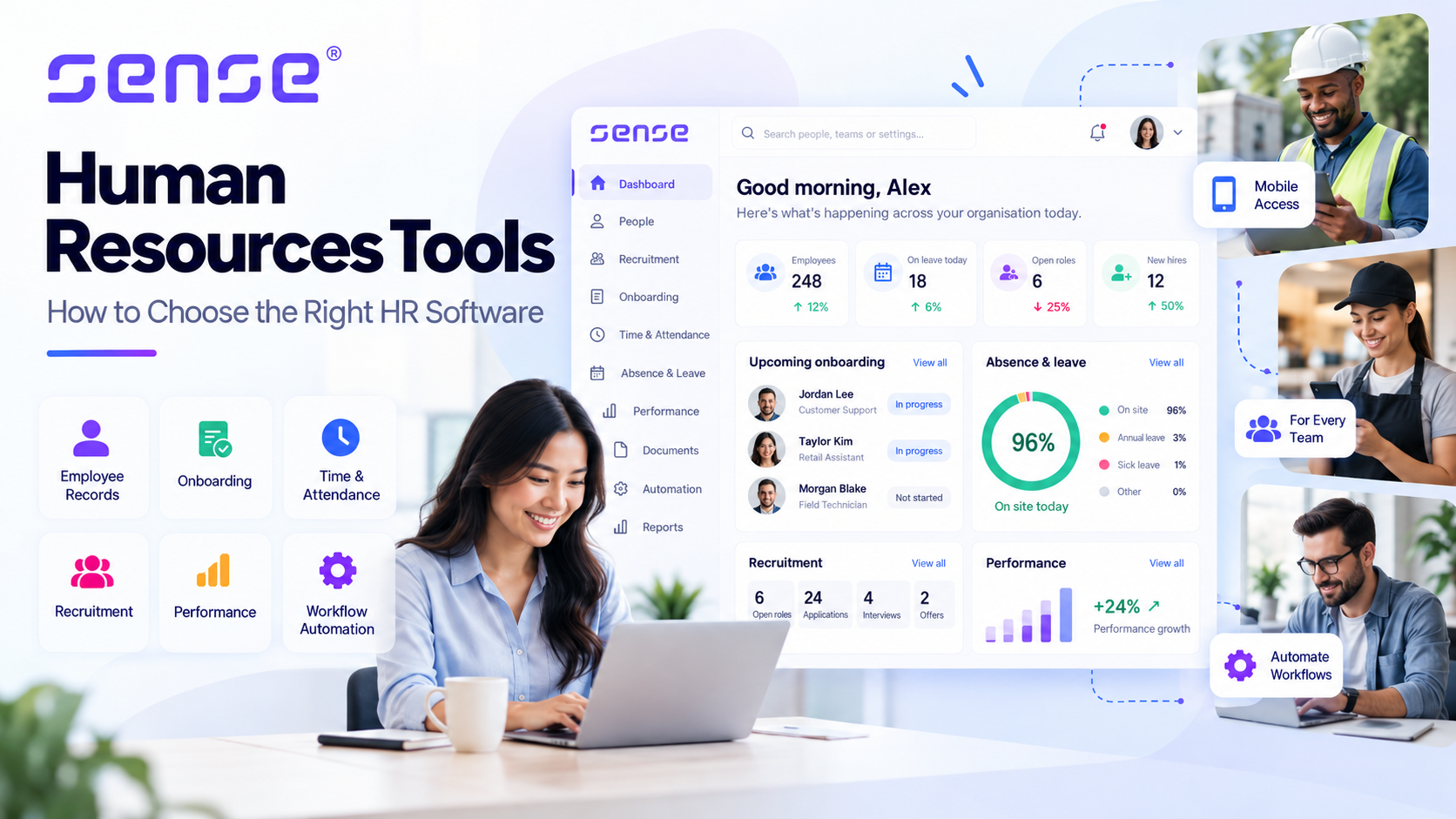
The best human resources tools don’t simply give HR teams more features. They make everyday work easier, reduce avoidable mistakes, and help businesses make better decisions about their people.
But with so many HR software platforms, overlapping features, and different pricing models, choosing the right tools can become a project in itself.
Do you need a complete HR management system? Recruitment and onboarding software? Something to manage employee attendance, holidays, performance reviews, or payroll?
The answer depends less on how many features a platform offers and more on which problems your business needs to solve.
This guide explains the main types of human resources tools, what they do, how to evaluate them, and what to look for before investing.
What are human resources tools?
Human resources tools are software applications that help businesses manage employee information, HR administration, recruitment, onboarding, attendance, payroll, performance, and workforce development.
Some are standalone applications designed to solve specific problems. Others combine multiple functions within a single HR management platform.
For example:
- HR management systems (HRMS) centralise employee records, documentation, leave requests, and routine HR administration.
- Applicant tracking systems (ATS) manage job applications, candidate communication, and recruitment.
- Workforce management tools support employee scheduling, time recording, and attendance.
- Performance management software helps managers organise employee goals, reviews, and development.
- HR analytics tools provide reporting that supports workforce decisions.
A small business might only need employee records and leave management.
A larger organisation operating across multiple locations might require recruitment, automated onboarding, attendance tracking, workforce scheduling, payroll integrations, and compliance workflows.
Modern integrated platforms, such as Sense HR, bring several of these functions together, helping organisations manage core HR administration and operational workforce processes within a connected environment.
The goal isn’t to automate everything. It’s to make important HR processes easier to manage and more reliable.
See How an Integrated HR Platform Works
Before comparing individual HR tools, it helps to see how an integrated system brings everyday people-management tasks together. This Sense HR overview introduces the platform and gives you a practical reference point for evaluating employee records, approvals and connected HR processes.
Video: Sense HR. Watch on YouTube.
The 7 main types of human resources tools
Understanding the major HR software categories makes it easier to identify which capabilities your organisation actually needs.
| Category | Main purpose | Typical business need |
|---|---|---|
| Core HR and HRMS | Employee information and HR administration | Reliable records and approvals |
| Recruitment and onboarding | Hiring and new starter processes | Consistent recruitment and onboarding |
| Payroll and benefits | Employee payments and pay data | Accurate payroll administration |
| Time and attendance | Working hours, absence and scheduling | Workforce visibility |
| Performance management | Reviews, goals and development | Consistent employee feedback |
| Employee engagement | Surveys and employee feedback | Better understanding employee experience |
| HR analytics | Workforce reporting and insights | Evidence-based decision-making |
These categories frequently overlap. Evaluate what each platform actually delivers instead of assuming its product description tells the full story.
1. Core HR software: Keep employee information organised
Core HR software provides a central location for managing essential employee information.
Instead of storing contracts in one folder, absence records in a spreadsheet, and employee information in separate email conversations, HR teams can bring these activities together.
Common capabilities include:
- Employee profiles and employment history.
- HR document storage.
- Holiday and absence management.
- Employee self-service.
- Approval workflows.
- Access permissions and audit records.
The problem it solves: Employee information becomes difficult to maintain when records are scattered across systems and departments.
Consider a company with 80 employees. A manager needs to check someone’s annual leave balance, HR needs to update their employment details, and finance needs accurate information for payroll.
When each department maintains separate records, the risk of inconsistent information and unnecessary administration increases.
A connected HR system can give authorised users access to the information they need.
For example, Sense HR’s core HR software combines employee records, documents, holidays, absence, and other people-management functions. It is designed to serve both office-based and hands-on employees.
What to check before buying: Ask the vendor to demonstrate an employee information update, a manager approval, and how the change is recorded.
A good-looking dashboard is useful. A reliable workflow is more important.
2. Recruitment and onboarding tools: Make hiring more consistent
Recruitment software supports the process of attracting, evaluating, and hiring employees.
An applicant tracking system can help manage vacancies, applications, recruitment stages, interview coordination, and candidate communication.
Onboarding software takes over once a candidate accepts an offer.
It coordinates activities such as document collection, equipment preparation, induction, training, and manager follow-up.
The problem it solves: Important recruitment and onboarding tasks can be missed when responsibility is divided across teams.
Imagine a new employee starting on Monday.
HR has prepared the contract, but IT hasn’t arranged access to the required systems. Their manager assumes somebody else organised the induction. Mandatory training hasn’t been scheduled.
The underlying issue may not be a lack of effort. It’s the absence of a consistent process.
A good onboarding system assigns responsibilities, tracks tasks, and makes outstanding actions visible.
For a practical example, Sense HR’s onboarding software supports automated onboarding workflows, documentation, e-signatures, and new starter preparation.
Its Onboarding Workflow illustrates how creating a new employee record can trigger administrator notifications and onboarding tasks.
Businesses that recruit regularly can also explore Sense ATS, which manages vacancies and candidates through the recruitment process.
What to check before buying: Ask what happens when a start date changes, an onboarding task remains incomplete, or a required document is missing.
A useful system needs to handle exceptions, not just ideal situations.
See How HR Onboarding Software Supports New Starters
Employee onboarding involves more than collecting a signed contract. HR, managers and other teams need to coordinate documents, induction activities and follow-up tasks. This Sense HR video gives you a product example to consider when comparing onboarding tools and testing how a system handles your own new-starter process.
Video: Sense HR. Watch on YouTube.
3. Payroll and benefits tools: Reduce repetitive administration
Payroll software helps businesses manage employee pay calculations, deductions, payroll records, and related reporting.
Depending on the software and country, it may support statutory payments, pensions, benefits, and payroll submissions.
Payroll accuracy also depends on reliable information from other systems.
Attendance, overtime, unpaid absence, salary changes, and leave records can all affect the preparation of payroll inputs.
When those records are maintained separately, finance and HR teams may need to reconcile information manually.
Connected systems can reduce duplicate data entry and make information easier to check.
For organisations already using specialist payroll software, replacing that system may be unnecessary.
For example, Sense HR’s integration capabilities support connections with payroll providers and other business applications, making it possible to connect HR processes with existing systems.
What to check before buying: Confirm exactly which information is transferred, how approvals work, and what happens when payroll inputs need correction.
For UK businesses, verify the relevant HMRC requirements and the vendor’s actual UK payroll capabilities.
4. Workforce management tools: Know who is working and where
Workforce management software helps organisations plan, record, and manage employee working time.
Typical capabilities include:
- Shift scheduling and work patterns.
- Clocking in and out.
- Time and attendance recording.
- Absence management.
- Overtime and timesheets.
- Staffing coverage and workforce reporting.
These capabilities are especially important for businesses with shift-based or multi-location workforces.
Retail, healthcare, hospitality, logistics, security, and facilities management organisations may need reliable information about employee availability across multiple sites.
See How Time and Attendance Software Supports Workforce Management
For businesses with shifts or multiple locations, attendance records need to be useful beyond the clock-in event. This Sense HR video introduces time and attendance as part of workforce management, helping you consider how working hours, exceptions, timesheets and payroll preparation should connect.
Video: Sense HR. Watch on YouTube.
The problem it solves: Managers need to know whether the right people are available at the right time.
Imagine a company operating across 12 locations.
Each manager maintains separate spreadsheets for shifts, attendance, holidays, and overtime.
Head office cannot easily see staffing gaps or check discrepancies before payroll preparation.
A connected workforce management platform can make this information more accessible.
For instance, Sense HR’s time and attendance software connects work patterns, clocking, timesheets, attendance verification, and payroll reporting.
Sense HR also provides an Employee Attendance Overview workflow that sends employees a summary of their recorded working time, allowing them to identify discrepancies.
This is an example of technology supporting an operational process rather than simply collecting more employee data.
However, attendance records, location tracking, and computer monitoring serve different purposes and should not be treated as interchangeable.
What to check before buying: Test a missed clock-in, unexpected absence, overtime approval, and correction to an attendance record.
Also consider proportionality and employee privacy before introducing monitoring features.
5. Performance management tools: Turn reviews into useful conversations
Performance management software supports goal setting, employee feedback, appraisals, regular check-ins, and development planning.
These systems can help organisations establish more consistent management practices.
But software alone won’t make a performance conversation valuable.
A company could complete every annual review without helping employees improve.
The problem it solves: Performance expectations and development activities can become inconsistent, undocumented, or disconnected from daily work.
Consider two managers.
One holds regular check-ins and documents agreed actions. The other relies entirely on an annual review.
A consistent performance management process helps establish shared expectations while allowing managers to tailor conversations to individual employees.
Sense HR’s performance management tools include reviews, appraisals, goals, and feedback processes that organisations can use to structure employee development.
What to check before buying: Ask a manager to create a goal, document a review, record feedback, and agree on a development action.
Then ask the employee whether the process is understandable and useful.
6. Employee engagement tools: Listen and respond to feedback
Employee engagement tools help organisations understand employees’ experiences through surveys, feedback processes, and reporting.
These may include pulse surveys, questionnaires, employee feedback, and recognition features.
The problem it solves: Managers and business leaders may not understand recurring employee frustrations until those problems become more serious.
Suppose employee feedback reveals that last-minute shift changes are causing difficulties.
The survey identifies the concern, but improving scheduling communication is what addresses it.
Before choosing a platform, establish who reviews the feedback, who is responsible for acting on findings, and how the organisation will communicate changes.
Check confidentiality and anonymity settings carefully, especially in small teams.
Some HR platforms also connect engagement activities with broader processes.
For example, the Sense HR workflow library includes engagement and feedback-related workflows alongside performance, absence, and other HR automation processes.
7. HR analytics tools: Turn employee data into useful decisions
HR analytics software helps businesses examine workforce information to identify trends, evaluate processes, and support better decisions.
Common reporting areas include absence, recruitment, turnover, workforce capacity, attendance, and HR administration.
The Chartered Institute of Personnel and Development (CIPD) describes people analytics as using people data to solve business problems.
That distinction matters.
More reports don’t automatically create better decisions.
An absence report might show increased sickness absence at a particular location.
It identifies something worth investigating, but it doesn’t establish why the increase occurred.
Workload, seasonal illness, recording changes, and other factors may need consideration.
Connected HR systems can help make relevant information easier to access.
For example, Sense HR provides reporting capabilities and AI-assisted tools for accessing workforce information.
But whether a platform uses traditional reports or AI-assisted analysis, managers still need to interpret results carefully.
What to check before buying: Start with a genuine management question and ask the vendor to demonstrate how its reporting capabilities help answer it.
Avoid paying for analytics that your business has no clear plan to use.
How to choose the right human resources tools
The best way to choose HR software is to match a clearly defined business problem to a workflow the vendor can demonstrate.
Here’s a six-step approach.
Step 1: Identify your three biggest HR problems
Write down the processes causing the most difficulty.
For example:
- HR spends too much time managing holiday requests.
- Managers can’t easily identify staffing gaps.
- Onboarding tasks are frequently delayed.
Then define what successful improvement would look like.
Instead of writing, “We need better onboarding,” write:
“We need every new employee’s documents, equipment, and induction tasks to be completed before their first day.”
This gives prospective vendors something specific to demonstrate.
Step 2: Separate essential features from optional ones
Not every capability should influence the purchasing decision equally.
Classify your requirements as essential, important, or optional.
If your primary need is employee absence management, reliable leave balances, manager approvals, and reporting may be essential.
Advanced succession planning may be valuable later, but shouldn’t distract from the immediate objective.
Step 3: Test actual workflows
Ask every shortlisted vendor to demonstrate the same tasks.
For leave management, this could involve an employee submitting a request, a manager approving it, the leave balance updating, and an employee amending the request.
Testing a real process is more useful than watching a polished product tour alone.
If your organisation handles many repeated administrative tasks, it may also be worth examining automation capabilities.
For example, Sense Automate’s workflow library provides examples of how businesses can automate HR activities involving approvals, notifications, onboarding, attendance, and compliance.
Step 4: Check integrations and data ownership
HR software may need to connect with payroll, recruitment tools, calendars, finance software, or identity providers.
Ask what information is exchanged, how often systems synchronise, and who resolves failed transfers.
Also confirm data export arrangements and what happens when the contract ends.
You can explore Sense HR’s available integrations as one example of how an HR platform connects with other business systems.
Step 5: Calculate the total cost of ownership
Subscription pricing is only one part of the investment.
Implementation, migration, integration, support, training, and internal administration can substantially affect costs.
Consider this illustrative comparison:
| Cost element | Platform A | Platform B |
|---|---|---|
| Annual subscription | £4,800 | £6,000 |
| Implementation | £2,000 | £750 |
| Training | £600 | Included |
| Required integration | £1,200 | Included |
| First-year total | £8,600 | £6,750 |
These figures are hypothetical and do not represent actual vendor quotations.
Platform A appears cheaper based on subscriptions alone but costs more during the first year in this example.
If you want to understand how an actual vendor structures pricing, you can review Sense HR’s pricing and feature comparison.
Step 6: Include the people who will use the system
HR software affects more than HR administrators.
Employees may need to request leave, read documents, or access payslips.
Managers may need to approve absences, manage shifts, and complete reviews.
Finance may depend on accurate payroll information.
Ask representatives from each relevant group to test the software before making the final decision.
A system that makes life easier for HR but creates unnecessary work elsewhere may not be the right investment.
HR software selection scorecard
Use this practical evaluation framework to compare shortlisted solutions.
Score each criterion from 1 to 5 and multiply the result by its weighting.
| Evaluation criterion | Weight |
|---|---|
| Essential workflow coverage | 25% |
| Employee and manager usability | 20% |
| Integration and data management | 15% |
| Security and privacy | 15% |
| Total cost of ownership | 15% |
| Implementation and support | 10% |
| Total | 100% |
For example, a platform scoring 4 out of 5 for essential workflow coverage earns 20 of the 25 available weighted points.
This is an illustrative framework rather than a validated industry standard.
Adjust the weighting to your organisation’s priorities.
Mandatory security, legal, and operational requirements should also be treated as pass-or-fail conditions.
All-in-one HR software vs specialist HR tools
An all-in-one HR platform combines several HR functions within one connected environment.
Specialist software focuses on a narrower process, such as recruitment, scheduling, or performance management.
| Factor | All-in-one platform | Specialist tools |
|---|---|---|
| Primary strength | Connected HR processes | Specialised functionality |
| Administration | Potentially fewer systems | Multiple tools may need management |
| Integration | Some functions share data | Connections need evaluation |
| Flexibility | Depends on available modules | Allows different products |
| Potential drawback | Modules may lack specialist depth | Data can become fragmented |
An integrated HR platform may be appropriate when the main priorities are consistent employee records, connected workflows, and centralised administration.
Specialist HR tools may be preferable when one operational challenge requires capabilities not available in a broader system.
A hybrid approach can also work.
For example, a business might use a central HR system while connecting specialist recruitment, payroll, or scheduling applications.
Platforms such as Sense HR support this model through integrations and an open API.
The question isn’t how many applications you use. It’s whether the overall process works reliably.
Which HR tools do different businesses need?
Different organisations should prioritise different capabilities.
Small businesses
Small businesses often benefit from straightforward employee records, leave management, documentation, and routine approvals.
Simplicity and ease of implementation may be more important than extensive features.
Growing businesses
As headcount increases, onboarding, permissions, approvals, payroll connections, and reporting may become more important.
Businesses should consider whether their software can support increasing organisational complexity without creating more administrative work.
Multi-site and deskless businesses
Businesses in healthcare, logistics, retail, security, manufacturing, and facilities management may need stronger workforce management capabilities.
Attendance, scheduling, mobile access, absence visibility, and manager permissions may be especially important.
For organisations operating across sites, the Sense HR time and attendance platform is one example worth evaluating because it combines working-time administration with other HR functions.
Remote and hybrid businesses
Businesses with remote and hybrid employees may prioritise digital onboarding, employee self-service, document access, approvals, and secure access.
The best configuration depends on the actual work employees and managers need to complete.
Common mistakes when choosing HR software
One of the biggest mistakes is confusing the number of features with the value of the system.
A platform with 100 features isn’t automatically better than one with 20 features that solve the organisation’s most important problems.
Other common mistakes include buying before defining requirements, overlooking implementation effort, underestimating integration complexity, and failing to involve employees.
Businesses should also avoid treating HR software as a substitute for sound employment practices.
For example, HR compliance tools may help organise records, workflows, and supporting evidence, but software alone cannot guarantee legal compliance.
The organisation must still maintain appropriate policies, apply them correctly, and meet its legal obligations.
How do you measure whether HR software is working?
Measure the problem the software was introduced to solve rather than simply counting system logins.
| HR process | Operational measure | Quality measure |
|---|---|---|
| Onboarding | Tasks completed before start date | New starter readiness |
| Leave management | Request processing time | Corrections and disputes |
| Payroll preparation | Time spent preparing inputs | Input errors |
| Recruitment | Time through recruitment stages | Candidate and manager feedback |
| Performance | Completion of agreed reviews | Usefulness of feedback |
| Scheduling | Unresolved staffing gaps | Manager effort to resolve them |
Record your baseline before implementation and compare results using consistent definitions.
For example, a business might measure how long it takes managers to approve leave requests before and after introducing automated workflows.
However, other changes, including staffing levels and internal policies, should also be considered before attributing improvements entirely to the software.
HR data privacy and compliance: What should businesses consider?
HR systems often contain sensitive employee information.
This may include employment details, salaries, absence records, contact information, and other personal data.
UK employers must consider applicable data protection requirements when choosing and using these systems.
The Information Commissioner’s Office provides guidance on lawful, necessary, and proportionate workplace monitoring.
Before purchasing HR software, ask vendors about:
- Role-based access restrictions.
- Authentication and security.
- Audit records.
- Data retention and deletion.
- International data transfers.
- Integration security.
- Employee information rights.
- Human review of AI-generated recommendations.
Some platforms also provide tools to support administrative compliance workflows.
For example, Sense HR’s compliance features cover employment-related records and processes.
These capabilities should complement, not replace, appropriate HR policies and professional judgment.
Frequently asked questions about human resources tools
What are the most important HR tools for a small business?
Small businesses commonly need employee records, holiday and absence management, document storage, and routine approvals. Payroll, recruitment, and other specialist capabilities depend on how the business operates.
What is the difference between HRIS, HRMS, and HCM?
An HRIS generally focuses on employee information and core administration.
An HRMS often includes wider HR processes, such as absence, recruitment, and workforce administration.
HCM commonly describes a broader approach combining HR administration and talent management.
The terms overlap, so buyers should compare actual product capabilities.
Can one HR system manage everything?
Some HR platforms combine recruitment, onboarding, employee records, absence, performance, and workforce management.
For example, Sense HR offers several of these capabilities within one platform.
However, businesses should confirm which features are included in each package and which require separate integrations.
What’s the difference between HR software and workforce management software?
HR software supports broader employee management activities, including records, recruitment, onboarding, and performance.
Workforce management software focuses on scheduling, attendance, working hours, and operational staffing.
The categories overlap, and some platforms provide both.
How much does HR software cost?
Prices depend on workforce size, selected modules, implementation, integrations, and support.
Some vendors charge per employee, while others offer fixed subscriptions or customised agreements.
Always compare total ownership costs, not subscription pricing alone.
Can HR software help with compliance?
Yes. HR software can support compliance activities through documentation, reminders, approvals, access controls, and audit records.
However, software does not automatically make a business compliant. Appropriate policies, legal review, and correct implementation remain necessary.
How long does HR software take to implement?
Implementation depends on data quality, organisational size, integrations, required configuration, and training.
A simple implementation may be relatively straightforward, while a complex multi-module rollout can require considerable planning.
Ask each vendor for an implementation plan relevant to your organisation.
Final thoughts: Choose HR software that solves real problems
The right HR software isn’t necessarily the platform with the most features or the most impressive dashboard.
It’s the system that helps your people complete important work more reliably.
Start by identifying the processes causing the biggest problems. Define what improvement would look like. Ask vendors to demonstrate those workflows using realistic scenarios.
Then evaluate usability, integrations, data protection, implementation, and total cost.
Choose the solution that makes the work easier, not the one that makes the software demonstration more impressive.
Want to see what connected HR software looks like in practice?
Sense HR is a UK HR software platform that brings together core HR administration, recruitment, onboarding, performance management, time and attendance, and automated HR workflows.
It’s particularly relevant for businesses that need to manage both office-based employees and people working across different sites, shifts, or operational environments.
Rather than comparing features in isolation, you can see how these processes work together.
Watch the 4-minute Sense HR product tour to explore the platform, or book a live demonstration to discuss your organisation’s requirements.