
Time & Attendance

End-To-End Time And Attendance

Create work patterns, set break or overtime rules, give staff a way to clock in or out, and then verify all hours against location status, to send accurate timesheet data to payroll every single time.

Watch 4 min video

Set Your Different Work Patterns

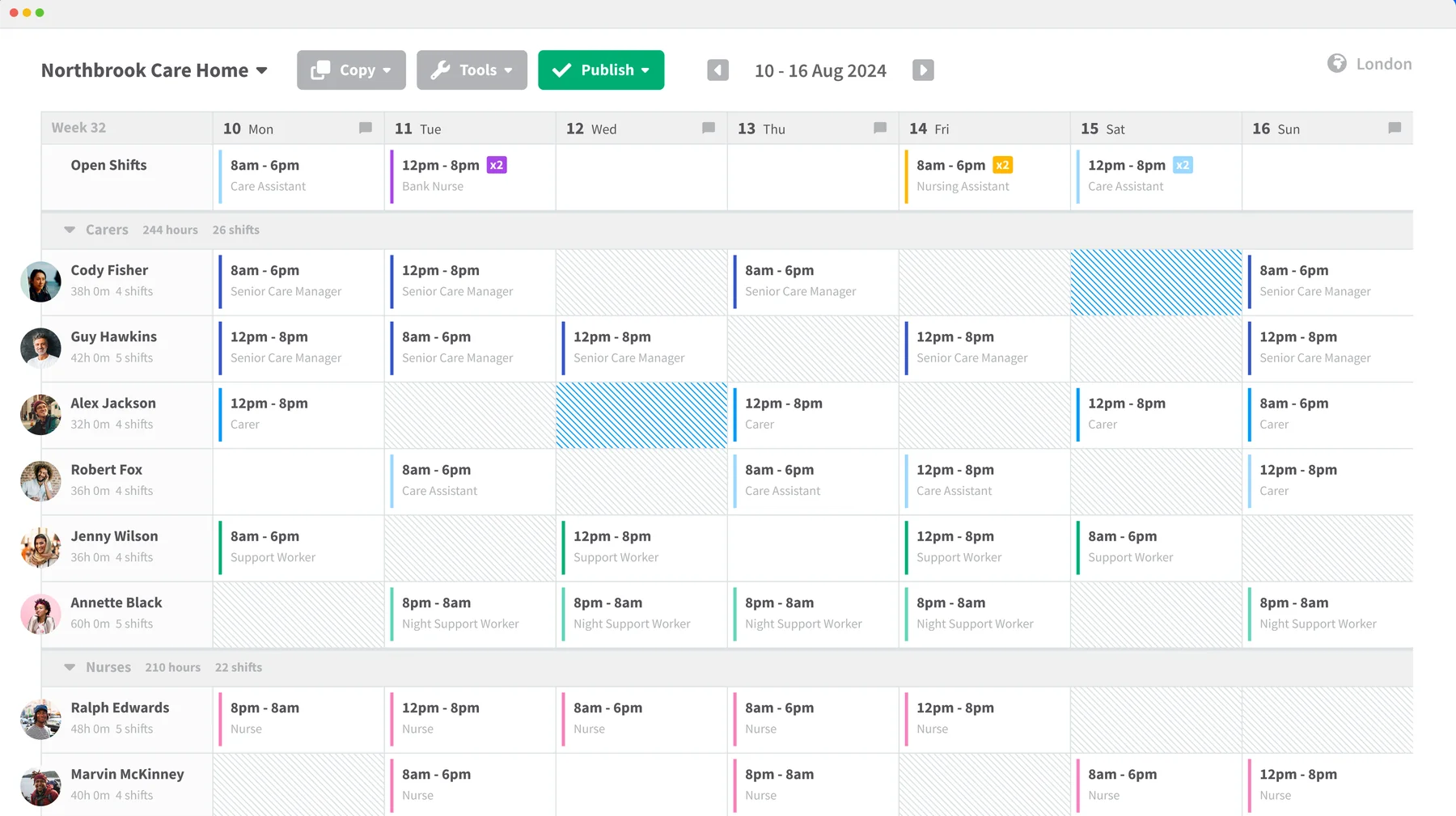
Sense knows which people should be in or out based on the work patterns you assign them. Create unique work patterns for individuals, or set templates that can be re-used across whole teams or departments.

  • Customise per person or per team
  • Part-time, nights and split shifts
  • Use with systems like RotaCloud or Chronicle
Explore popular rota integrations

Clock In And Out Across All Sites

Let staff clock in or out however suits their team best, such as a Sense Clock, a fingerprint scanner, or a mobile phone app. All methods can be mixed across sites, and feed into the same central record.

  • Tap ID Card
  • Fingerprint and Facial Recognition
  • Sense AutoClock™
Explore how to track time with Sense

Prove Each Entry, Verify Each Hour

Sense combines location technology, biometric verification and deep data analytics to prove who clocked in or out, and where. This reduces timesheet errors and helps you identify possible time theft.

  • Geo-fence work and break zones
  • One-time codes or biometric verification
  • Auto-scan for errors or anomalies
Learn how Sense helps you verify hours

Set Custom Rules And Automations

Define things like how breaks are counted, how late is "late", and when overtime begins. Then, browse our workflows or build your own to set up automatic actions that kick off when trigger points are hit.

  • Set rules for breaks
  • Calculate overtime and TOIL
  • Build custom workflows
Browse HR workflows

Flag Lates, No-Shows and Anomalies

Sense scans for triggers such as missed clock-ins or no-shows, and then alerts the relevant manager. The manager can then investigate the issue in order to find cover or write it off as a simple error.

  • Flag late clock-ins or early exits
  • Scan for AWOLs or short-staffed shifts
  • Get alerts and attendance summaries
See the missed clock-in workflow

Get Payroll Reports Right First Time

Once errors are rectified and timesheets are approved, your payroll report can be sent straight to your payroll software or your outsourced payroll provider, with no need to manually copy the data over.

  • Connects to Sage, Xero and BrightPay
  • Auto-reporting for outsourced payroll firms
  • Open API for custom integrations
See payroll integrations
Location Verified

The Complete Time and Attendance System with Live Location

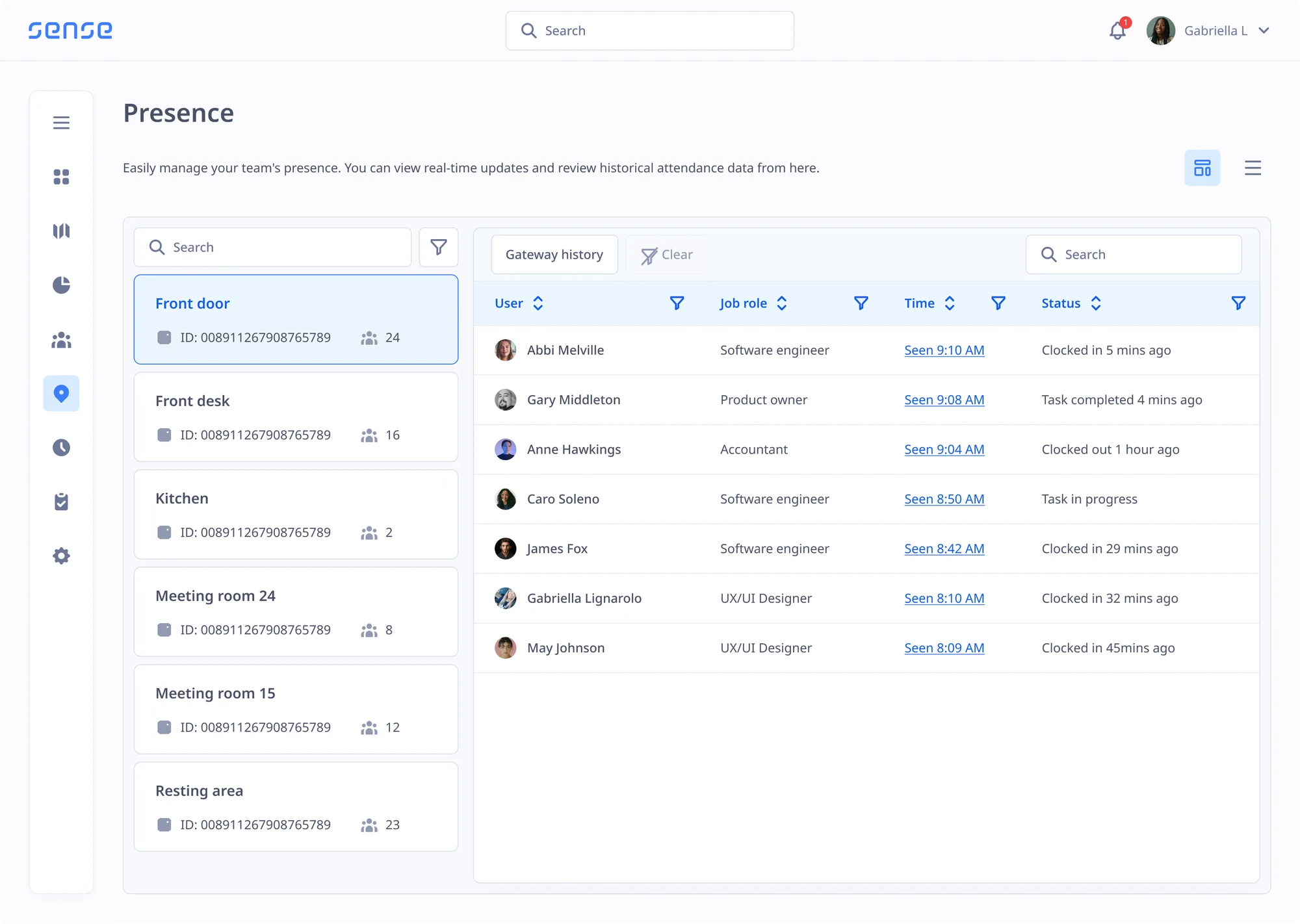
Sense shows you where work happens and how people spend their time, with unique live location technology that you can implement across any site and any location, with no need for GPS or mobile phones.

Sense AutoClock™

Detect entries and exits automatically across all your sites, with no need to swipe, scan or even open an app.

Learn more

Indoor Zones

Itemise timesheets by work zone, break zone or room, and see exactly where people spent their time.

Learn more

Live Location

A real-time view of who is inside or outside any building, powered by Bluetooth, with no GPS required.

Timesheets & Approvals

Support manual timesheets and verify them with location data or supervisor sign-off and exception handling.

Evacuation Roll Call

Get a live list of who is in or out of each site during a fire or evacuation, with special tools for fire marshals.

Learn more

No Phones Needed

For staff without phones or desks, Sense supplies tags, badges and other technology to support time tracking.

AI Attendance Agent

Let Clockwise watch the clock for you

AI agent Clockwise keeps an eye on timesheets and attendance, answers questions about attendance, and lets you know if anything seems off.

Meet Clockwise
  • Flag missed shifts. Managers hear about missed clock-ins in real time, so they can find cover fast.
  • Spot lateness trends. Insights such as "Mary is late every Monday" or "15 lateness events this week".
  • Detect buddy clocking. Flag two people clocking in at exactly the same time to reduce buddy punching.
  • Predict staffing gaps. Current and historic attendance data warns you of gaps that may occur in the future.
  • Ask anything. Get instant answers to questions about hours, overtime and absence.
  • Attendance reports. Daily, weekly or monthly reports, by site, manager or team.
  • UK-hosted, never trained on your data. Sense HR is ISO 27001 certified and GDPR compliant.

Huge results for UK customers

Up to 4%
Off the payroll bill
Up to 10%
More accurate payroll
50%
Less time checking hours
2-4 Weeks
Time to go live
Works With What You Have

No need to change your existing systems

Sense works with other HR, Rota and Payroll systems, to automatically share verified time and attendance data with no need for manual data entry.

  • Your Rota

    Sense connects to RotaCloud, Papershift or Chronicle Online, to compare published shifts against actual hours worked.

    Explore popular rota integrations
  • Your Payroll

    Automatically send verified hours straight into Sage, Xero and BrightPay, or to your outsourced payroll firm, for accurate payroll.

    See payroll integrations
  • Your HR System

    You don't need to use Sense HR - Sense can send clock-ins and attendance data to other systems like HiBob, Breathe, or Personio.

    Explore Sense HR
A weekly rota in a rota system, the shifts Sense compares with the hours actually worked

"Last year we had the pleasure of implementing Sense for our organisation, and the experience has been nothing short of exceptional."

Darren McKinnon

Discover Time and Attendance for Yourself

Book a free demo with one of our UK-based experts to see work patterns, clocking in, approvals and your payroll report on your own data.

FAQ

Time and attendance questions

Browse these frequently asked questions about time and attendance

What is time and attendance software?

Time and attendance software records when staff start and finish work, applies your rules for breaks, lateness and overtime, and turns the hours into a report for payroll. Sense HR covers the whole cycle, from work patterns and clocking in to approvals and payroll reports.

Do staff need a smartphone?

No. Staff without a phone can tap a card, use a fingerprint or face clock, or carry a badge that clocks them in automatically. No phone or email address is needed to clock in.

Which clock type should we pick?

AutoClock™ suits fast-paced sites that don't want queues. Tap ID Card is the quickest to set up. Fingerprint or face recognition is best when buddy clocking is a risk. You can mix and match across sites.

Can we use different clocks on different sites?

Yes. Mix them. Every clock-in lands in the same record, with the same rules.

We already have a rota. Does that matter?

No. Keep it. Sense links to RotaCloud, Papershift and Chronicle Online, and to others through our connectors.

Which payroll systems does it work with?

Sense HR has native connectors for Sage, Xero and BrightPay, and an open API for everything else. You can also send the payroll report to an outsourced payroll firm.

How accurate is indoor location for AutoClock™?

Room-level. The Sense Gateway plugs into a normal socket and tells Sense which building, floor and zone a person is in.

How long does it take to go live?

Most teams are live in 2 to 4 weeks, with UK-based support. The hardware is self-install, and larger rollouts go in phases by site.

How much does Sense time and attendance cost?

The software is included in the Elite plan at £6 per person per month. Hardware such as clocks and badges is priced separately based on quantity, and there is no setup fee.