



Track Absence, Spot Trends, Improve Attendance

Track every type of absence, and get alerts when somebody shows a worrying trend. Heatmaps and infographics help you understand patterns and workforce mentality, while individual absence records help you investigate problems and take appropriate action.

Triggers Automate responses
AI Analysis Identify trends
Custom Absence workflows
Track Absence, Spot Trends, Improve Attendance
All Absence Types Documented

All Absence Types Documented

As well as basic sick leave, you can create as many types of absence as you like. This could include authorised leave, AWOL, or even work from home days. It's up to you how you define an absence, and how this impacts other areas of the employee's record, such as pay.

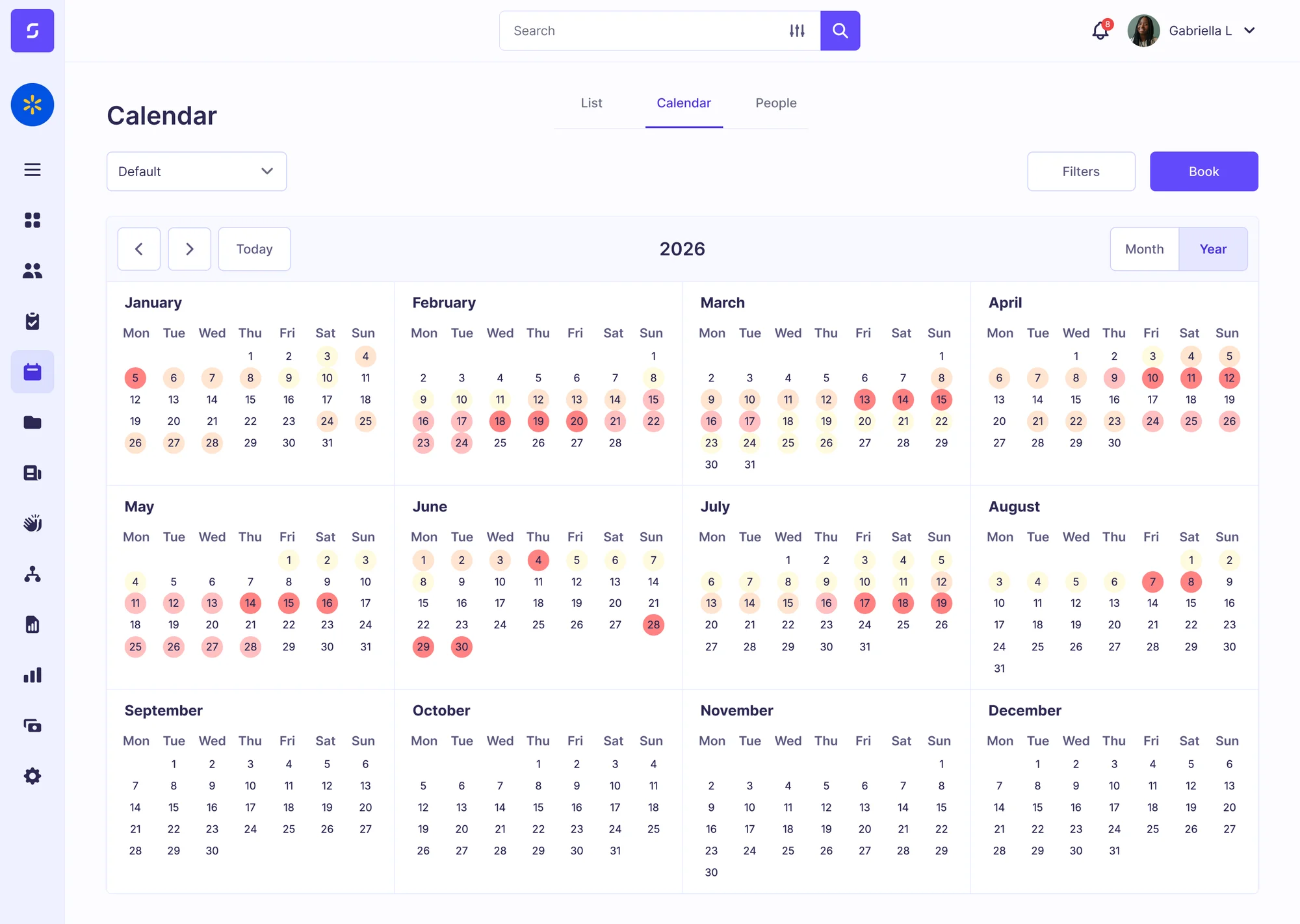
See Who's Off

Your company or team calendar view shows you at a glance who is in or out on any particular day. You can set rules and permissions to decide who can see other people in their team, and you can restrict sensitive information such as the reason for an absence or a sickness detail.

See Who's Off
Create Rules and Reactions

Create Rules and Reactions

Set trigger points for different absence types, and tell your system how to handle it when a threshold is reached. Use popular scoring systems like the Bradford Factor, or design your own, and customise what happens during an escalation – such as verbal, written or final warning.

AI Analysis

Discover trends or insights that traditional reports do not uncover, such as absence patterns occurring at certain times of the week, localised to certain teams, departments or locations. Ask AMI to help you interpret your absence data to figure out what's happening and improve attendance.

AI Analysis
Heatmaps and Scoring Systems

Heatmaps and Scoring Systems

Design scoring systems to identify problem absence thresholds, or use well-documented systems like Bradford Factor, which comes pre-programmed in your Sense HR system. Heatmaps and colour codes help you see at a glance what is happening, without the need to sift through reports.

Track Every Absence Type and Understand the Cause

Sense HR lets you record and document every instance of absence, for any reason, and then helps you analyse the patterns and trends, to help you support your staff and improve attendance.

Unlimited Absence Types

Select from pre-built templates, or design your own, and track each type of absence separately.

Bradford Factor

Automatically calculate Bradford Factor scores for each person, and set custom action triggers.

Fit Notes

Upload GP fit notes against each absence record, and automatically track and flag expiry dates.

Return To Work

Auto-book return-to-work interviews, with templates and notes built directly into the system.

AI Analysis

Spot patterns, problems, and insights that traditional reports fail to uncover – just ask AMI.

Absence Calendar

See who's off, when, and why. Filter by team, location, department, or create a custom group.

Statutory Sick Pay

Automatic SSP calculations that understand qualifying days and auto-stop at 28 weeks.

Custom Escalations

Decide what happens when a threshold is triggered – design disciplinary and support processes.

Reporting & Trends

See absence rates by team, location, or department, with year-on-year and cost comparisons.

The UK Standard for Problem Absence Patterns

We built Bradford Factor scoring into Sense HR because it is one of the most-used standards in the UK for helping HR detect problem absences and take action. The Bradford Factor helps you uncover instances of several short spells of absence, which are often a sign of bigger problems brewing.

  • Auto-Calculated scoring on every recorded absence
  • Custom thresholds that you can set by role or team
  • Alerts and triggers for when escalation may be needed
  • Full audit trail to support your disciplinary processes
  • Tracked over 12-months the UK standard window

Bradford Factor is a tool in your tool kit, and should not be used as a standalone process for managing absence! All instances of absence should be looked at with human judgement, and individual circumstances taken into consideration.

Frequently asked questions about absence management

How does Bradford Factor scoring work in Sense?+
Score = S² × D, calculated over a rolling 12-month period. Sense recalculates after every absence event. You set the trigger thresholds (typically 200 for first warning, 400 for formal action). Alerts go to manager and HR automatically.
Does Sense calculate UK statutory sick pay (SSP)?+
Yes — full SSP calculation with qualifying days, waiting days, automatic stop at 28 weeks. SSP figures push to your payroll system (Sage, Xero, Brightpay) automatically. HMRC compliant.
Can we track fit notes from the GP?+
Yes — upload fit notes against the absence record. Track expiry, set RAG flags for review dates, send reminders to manager and employee before expiry.
How does AI pattern detection work for absence?+
Ami watches absence patterns across the workforce. Flags clusters (multiple absences in one team), recurring patterns (Mondays, post-holidays), and unusual spikes. Suggests when to look closer. UK-hosted, never trains on your data.

See Sense absence management on your data.

2-minute video or 20-minute demo. Free implementation included.