HR Software for companies who hire busy, hands-on workers
HR admin, recruitment and time tracking for your entire workforce, including the people who don't sit at desks.

1,000s of busy teams succeed with Sense
Care homes, factories, studios, shops, cleaning and security firms all run their people with Sense. See HR for frontline teams in every industry. Tap a location on the map to discover a new Sense story.
Core HR and people management for your entire workforce
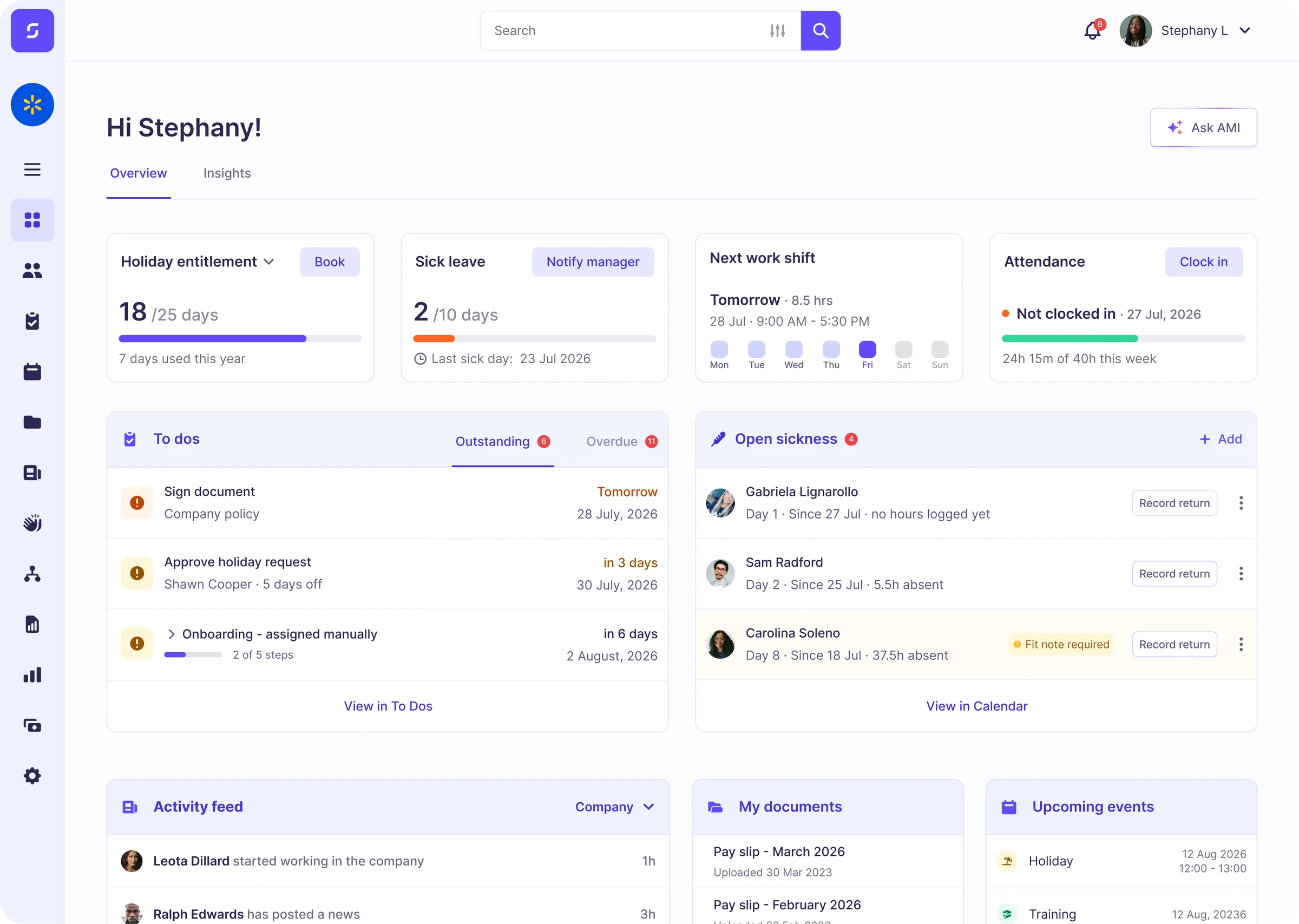
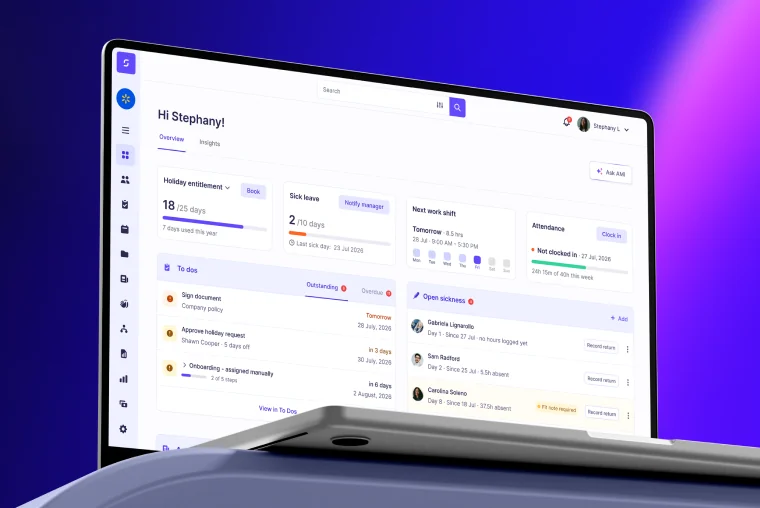
Sense HR covers everything you'd expect from a modern HR system, and gives you dozens of ways to help your workforce engage. Perfect for including people who don't sit at desks, don't have company laptops, or cannot use a mobile phone. Built to improve operations and productivity for frontline teams.
HR Admin
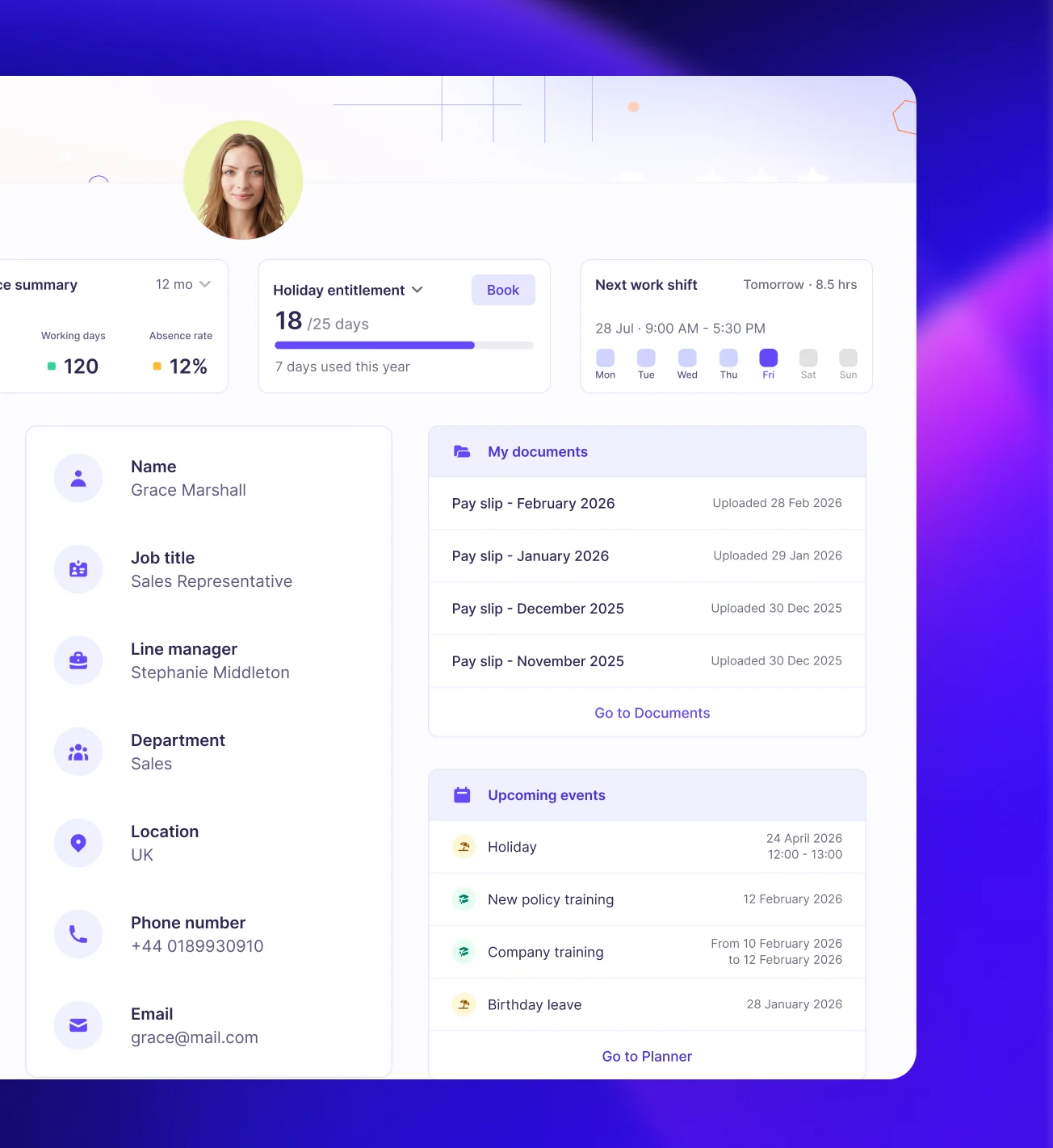
Unlimited employee records with customisable fields, and templates for different roles or contract types.
Holidays & Absence
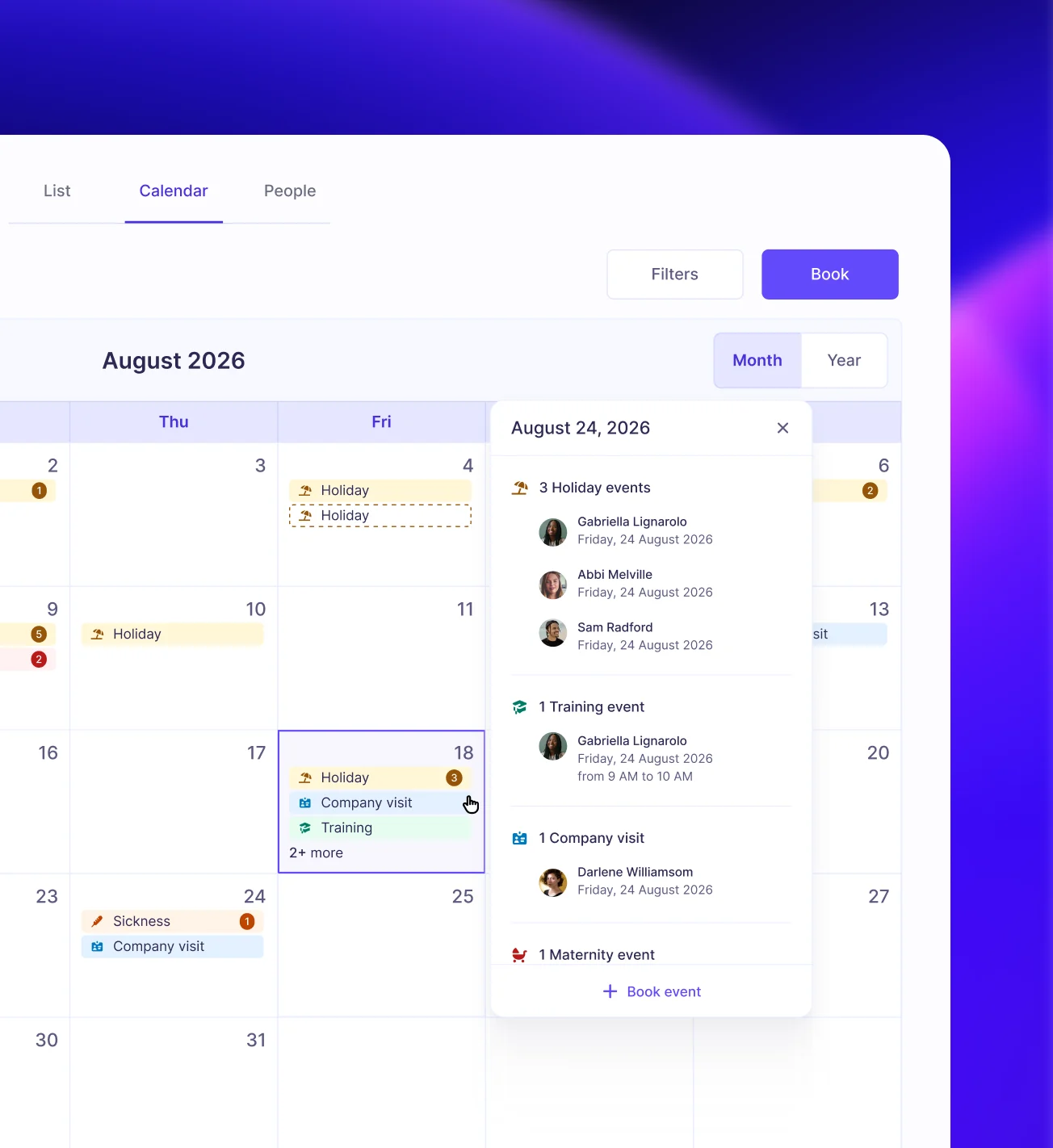
Track holidays, entitlements, sickness, TOIL, fit notes, returns to work, and any type of custom leave.
Documents & e-signatures
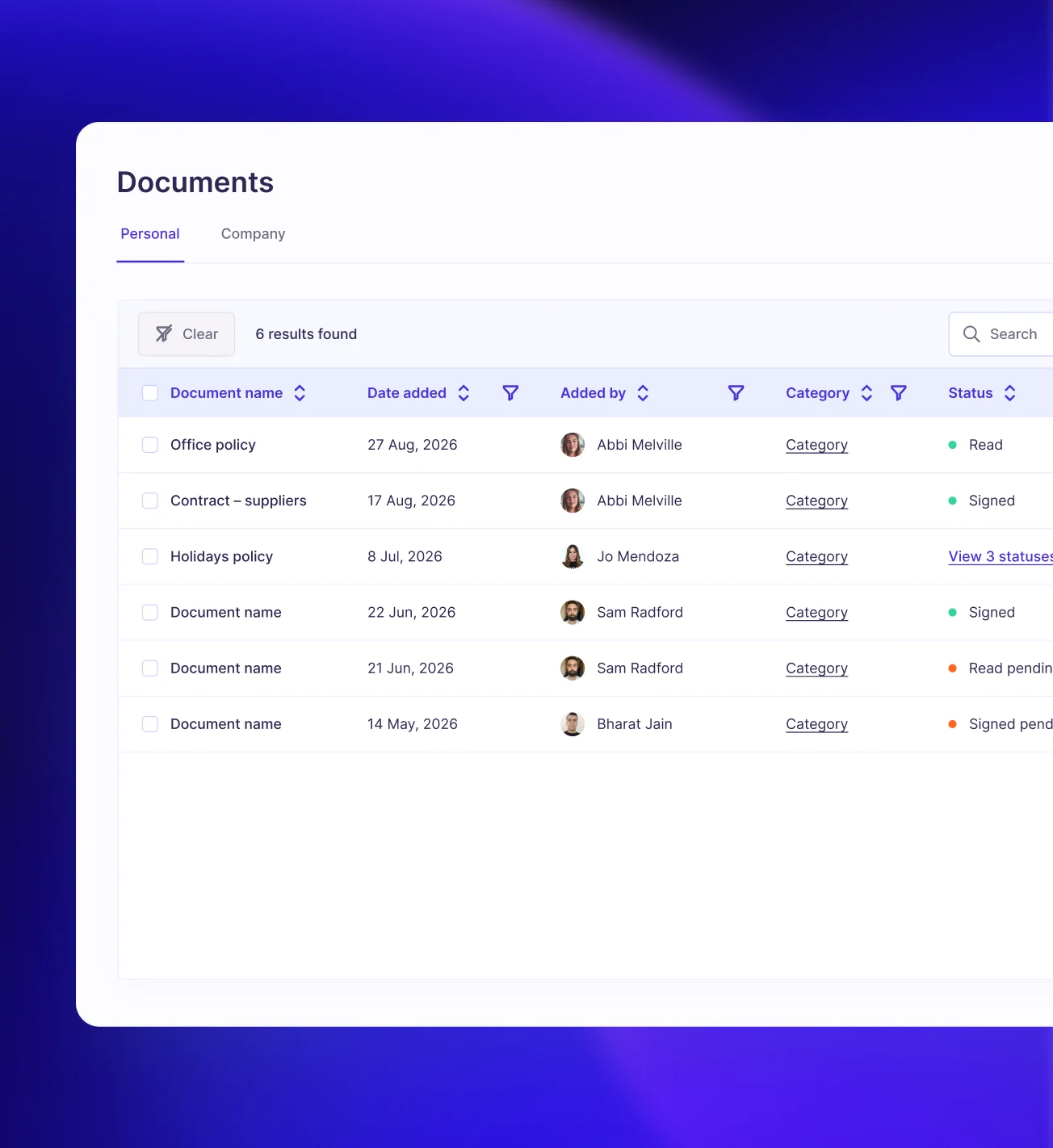
Store unlimited contracts, policies, letters or documents, and track who has received and signed them.
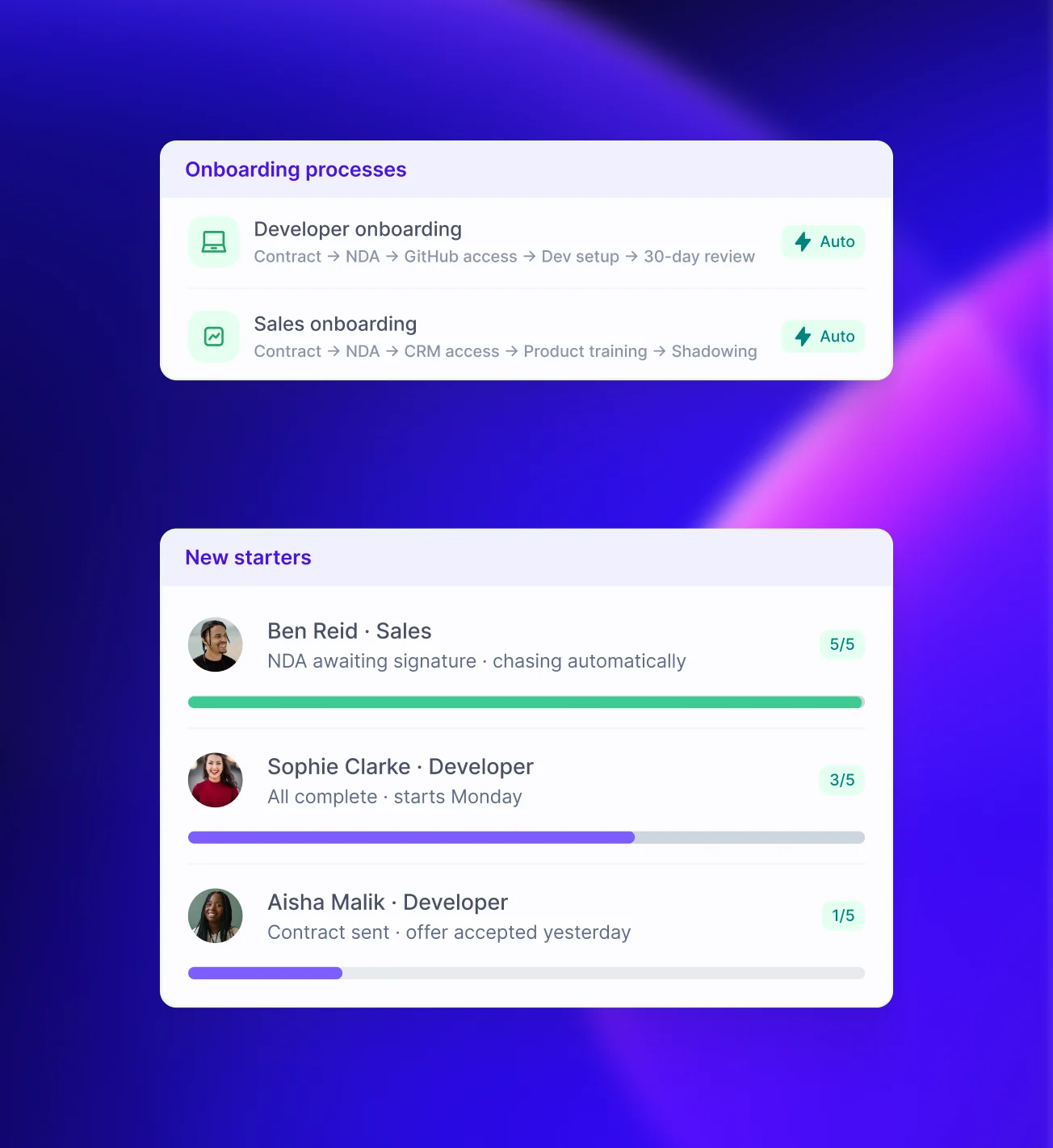
Onboarding
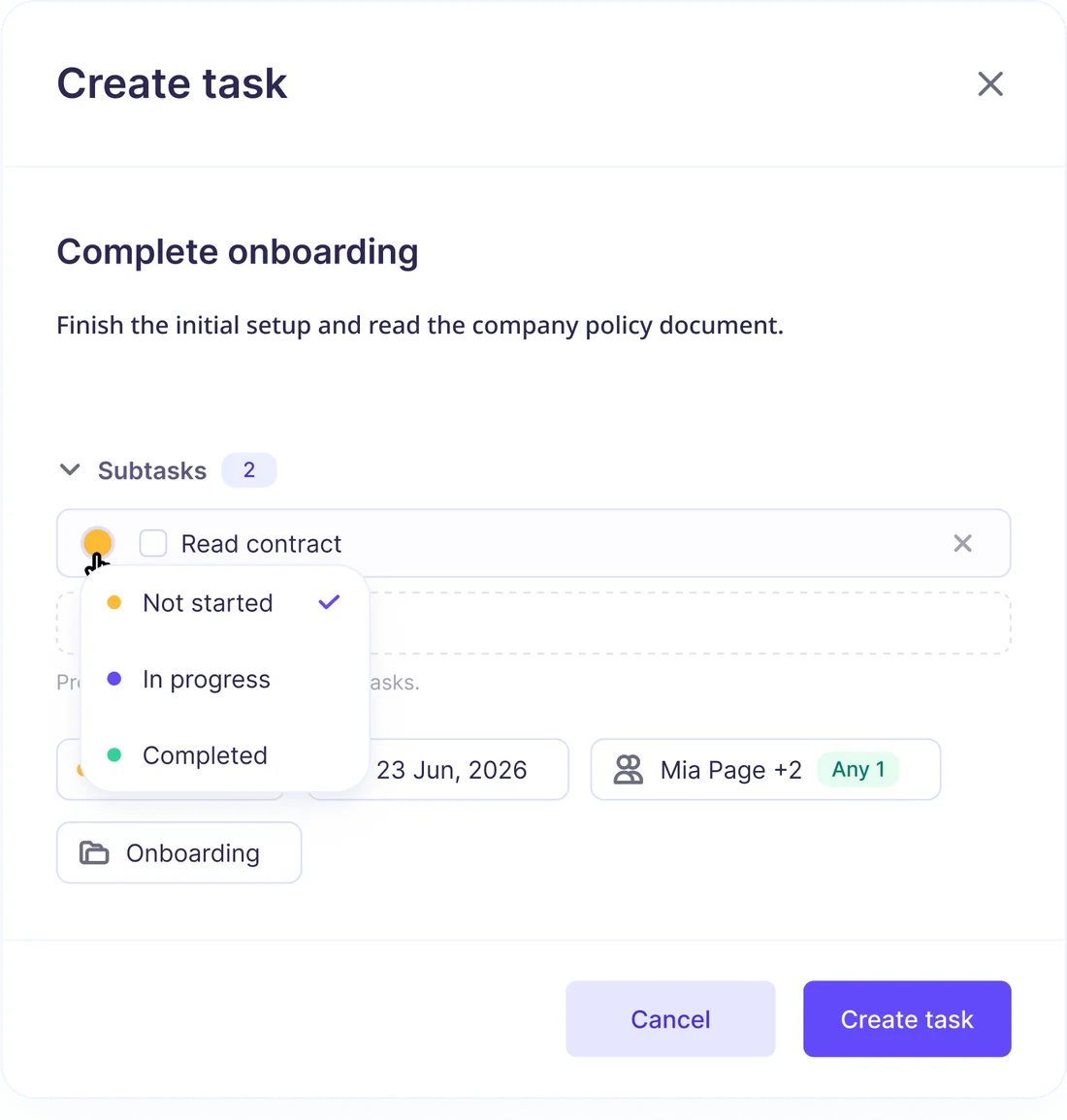
Custom onboarding workflows complete with a pre-boarding welcome lounge for new starters.
Time & Attendance
Clock hours via the app or the Sense Clock, then verify timesheets before sending straight to payroll.
Recruitment
Publish vacancies, track applications, rank candidates, build shortlists, and hire top talent for each role.
Meet the team of AI agents who help you run HR
Your HR assistant AMI takes the dirty work off your plate by dishing it out to a team of agents, who can do things like send documents, screen candidates, or check payroll data for errors.
- Counsel. 24/7 HR advice based on your policies and HR law
- Quizzy. Screens applications and ranks your best candidates
- Payslip Sorter. Distributes pay documents from bulk uploads
- Census. Generates reports and reveals insights from HR data
- Snappy. Creates expense claims from pictures of receipts
- Many more… A dozen different agents await your command
Track and verify each hour with exclusive Sense technology
Automate timesheets via the Sense app, or add a physical Sense Clock to your busiest sites for a traditional clock in system that talks straight to your HR software.
- Track working hours with whichever method best suits each team
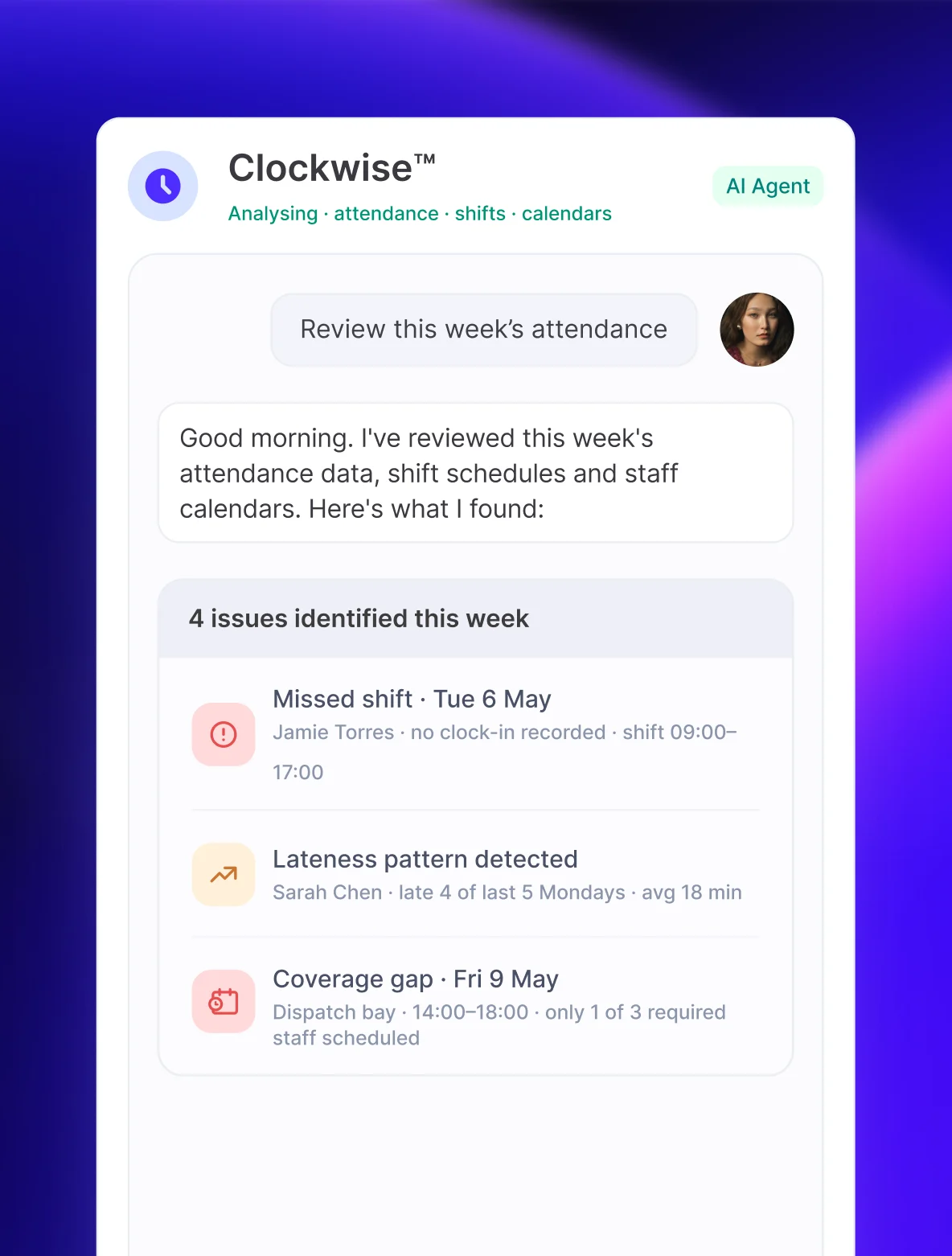
- Scan timesheets for red flags to reduce payroll waste
- Sync data straight to Sense HR for verification before payroll

- In 8:30 amLocation
- Out 12:05 pmLocation
- In 2:00 pmLocation
- Out 6:05 pmLocation


100+ workflows to automate the HR tasks you hate
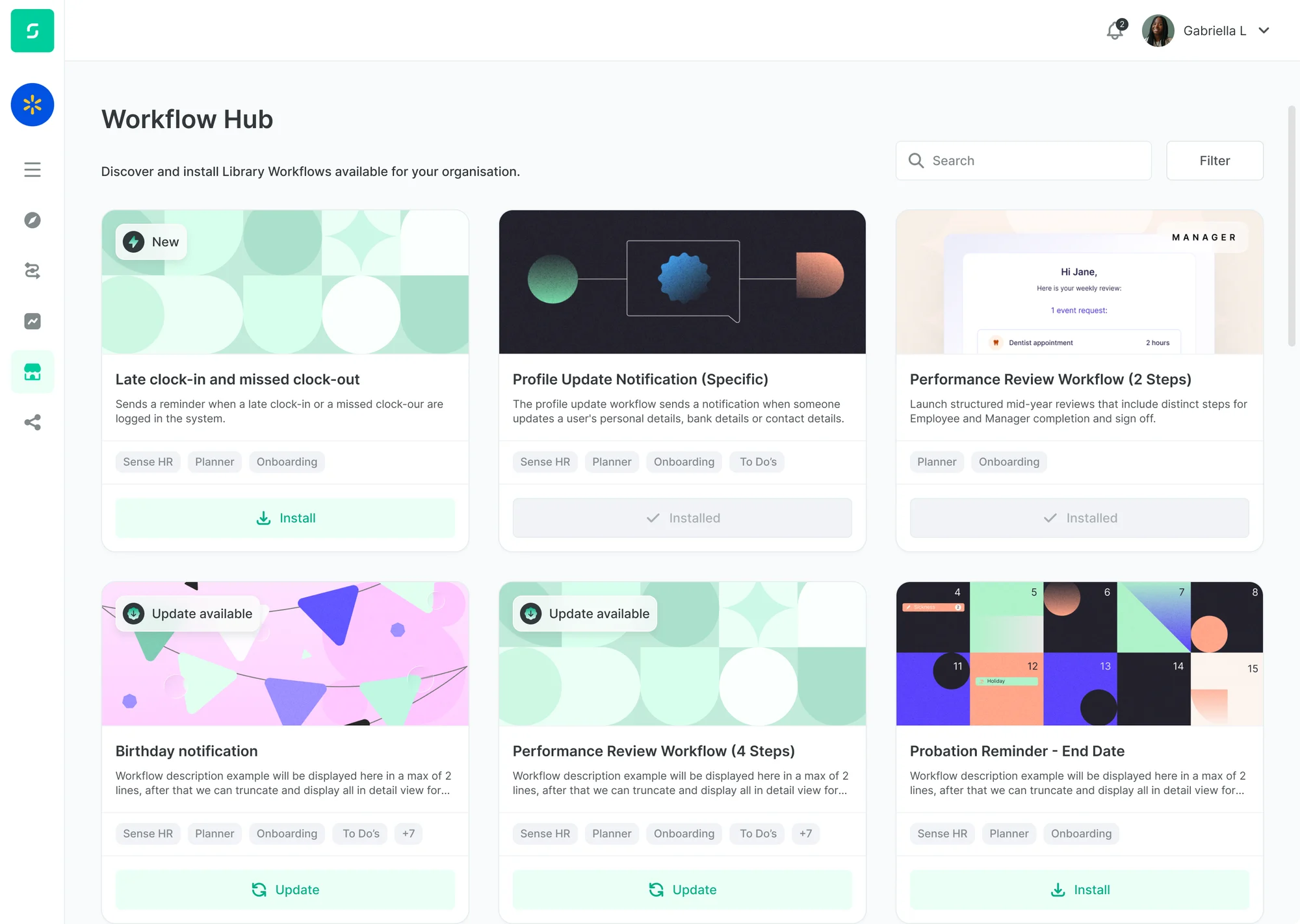
Sense HR includes a library of 100+ workflows and automations that run repetitive HR tasks in the background.
- Onboarding. Give each new starter a consistent experience
- Probation Reviews. With customisable steps and schedules
- Return To Work. Interview scheduling and fit note reminders
- Document Chasing. Send reminders for outstanding signatures
- Entitlement Calculators. Including pro-rata and carryover
The ATS that keeps your recruitment pipeline healthy
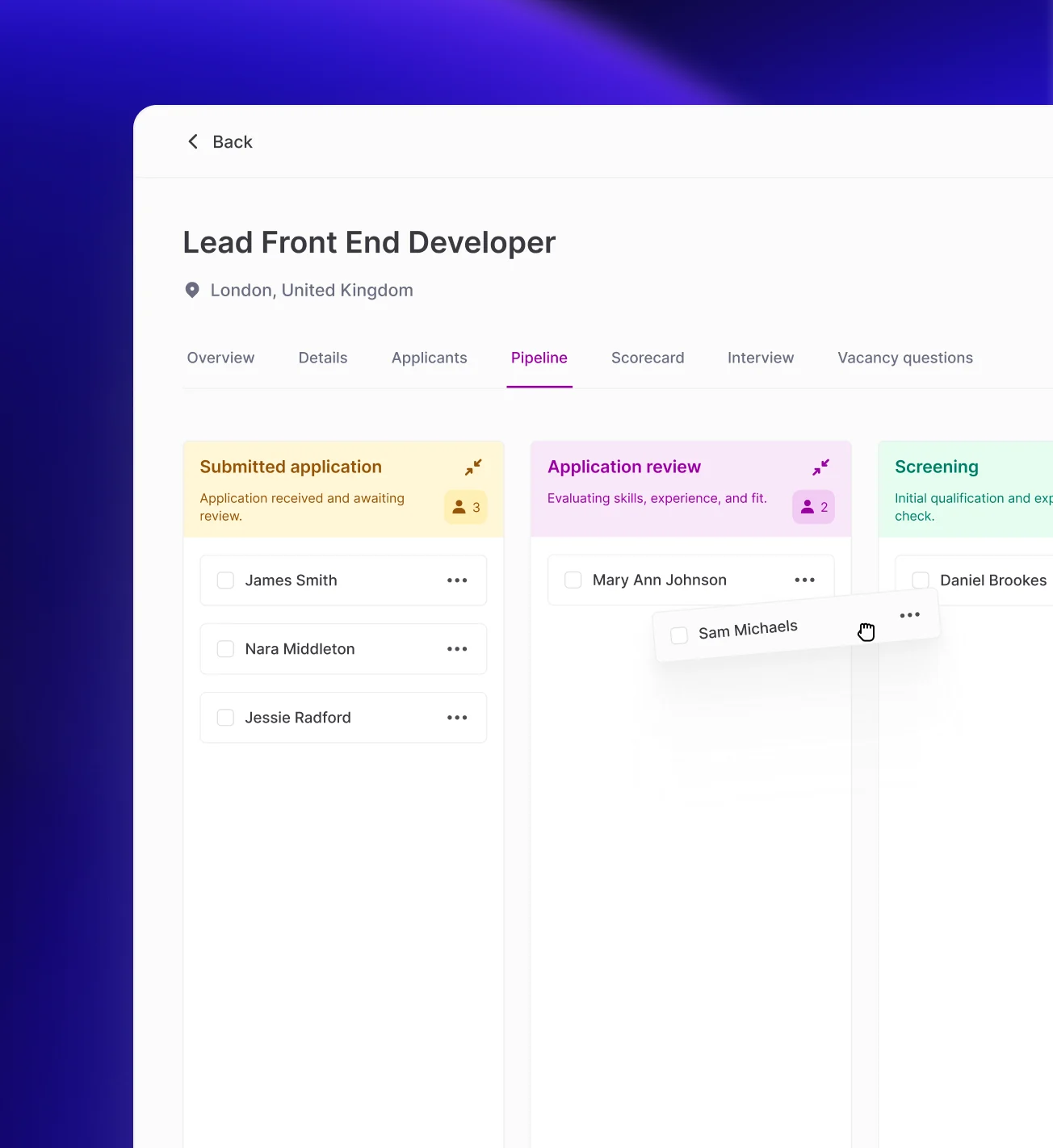
Publish jobs, track applications, and let AI agents help you screen candidates, build shortlists, and stay in touch.
- Publish jobs to platforms like Indeed or your branded career site
- Screen applications, conduct interviews and build a shortlist
- Create leaderboards and move top talent through pipeline stages
- Make offers and cover important steps like right-to-work checks
- Add new starters straight to your HR system for onboarding
Clear, competitive pricing – get an instant quote
Start with the HR tools you need today and add more as your organisation grows. Transparent, banded pricing, no per-feature surprises.
Discover the Sense HR system today
Sense HR is made up of six key areas, designed to help you run your HR function and manage your people better.
Manage your HR admin essentials including employee records, contracts and documents, holidays and absences.
Learn moreTrack hours, verify attendance, and send timesheet data straight to your HR system for verification before it goes to payroll.
Learn morePublish vacancies, screen applicants, shortlist top candidates, and bring the best talent into your organisation.
Learn moreIf you need a hand, just ask AMI – your Agent Management Interface. Agents can execute HR tasks on your command.
Learn moreInstall hundreds of pre-built HR workflows to take care of the manual HR tasks you hate – browse the library right now.
Learn moreSense HR connects to many different systems such as payroll, to help you share data faster and with fewer errors.
Learn moreGet started with Sense HR
Book a demo with one of our friendly UK-based experts, or start your free trial today, to see how Sense HR could work for you and your organisation.
Frequently asked questions about Sense HR.
Getting started, trial & pricing
Is there a free trial of Sense HR?
Yes. Sense HR offers a free 14-day trial on the Team plan, with no card required to start. The trial covers Team's features, so anyone wanting to try Elite or Enterprise-only tools, including the AI agents, can book a demo instead.
How much does Sense HR cost?
Sense HR starts from £2 per person, per month on the Team plan, based on a minimum of 10 employees — so £20 a month for a 10-person team — with no long-term contract. Elite and Enterprise are priced per employee per month too, quoted through a conversation with the team rather than self-serve, since pricing depends on company size and setup.
What's the difference between the Team, Elite and Enterprise plans?
Team covers everyday HR on fixed, ready-to-use screens and is designed to be simple and self-serve. Elite adds custom fields and screens, timesheets, deeper reporting, workflow automation and the AI agents, for businesses that want the system to fit around them. Enterprise adds custom workflows, an open API and dedicated account management for larger or more complex organisations.
Do I need to talk to sales to sign up?
Not for Team — you can start a free trial and self-serve without speaking to anyone. Elite and Enterprise are sold through a conversation, mainly because pricing and onboarding are tailored to your organisation.
Is Sense HR suitable for a small business?
Yes. Team is aimed at smaller, simpler HR needs and has no long-term contract, so it scales up or down without a big commitment. Larger or more complex organisations tend to move to Elite or Enterprise for extra configuration and AI capability.
What's included
What does Sense HR include?
Core HR admin (employee records, documents, e-signatures), holidays and absence, onboarding, time and attendance, recruitment, and a library of workflow automations, plus a set of AI agents on Elite and Enterprise plans.
Can Sense HR handle holiday and absence tracking?
Yes — holiday booking and entitlements, TOIL, sickness tracking, fit notes, return-to-work steps, and custom leave types.
Does Sense HR let you store and sign documents electronically?
Yes. Unlimited contracts, policies and letters can be stored in Sense HR, which also tracks who has received and signed each one.
What's included in onboarding?
Custom onboarding workflows, plus a pre-boarding "welcome lounge" that gives new starters access before their first day.
Is Sense HR designed for staff who don't work at a desk?
Yes. It's built to include people without a company laptop, a fixed desk, or easy access to a mobile phone — for example through the physical Sense Clock for time tracking, rather than assuming everyone can use an app.
AI Agents
What is AMI?
AMI (Agent Management Interface) is Sense HR's central AI assistant. Ask it something in plain English and it routes the request to whichever specialist agent can complete it, rather than you needing to know which tool to use.
Are AI agents included in every Sense HR plan?
No. AMI and the specialist AI agents are included on Elite and Enterprise plans. The Team plan doesn't currently include the AI agents.
What can Sense HR's AI agents actually do?
Each one does a specific, named job rather than acting as a general chatbot — for example Quizzy screens and ranks job applicants, Counsel gives HR guidance based on your own policies, Payslip Sorter files bulk payslips against the right employee records, and Snappy turns a photo of a receipt into an expense claim.
How many AI agents does Sense HR have?
10+, covering recruitment screening, document sending, payroll document sorting, expense claims, attendance monitoring, reporting and task management, all coordinated through AMI.
Does a human still check the AI agents' work?
For decisions that matter, yes. Quizzy screens and ranks candidates, but the hiring manager decides; Snappy prepares an expense claim, but a person approves it. The agents are built to remove repetitive admin, not to remove human sign-off.
What's the difference between an AI agent and a chatbot?
A chatbot typically only answers questions. An AI agent can carry out the next step itself — screening an application, filing a payslip — usually with a person reviewing or approving the outcome.
Time & Attendance and the Sense Clock
What is the Sense Clock?
A physical wall-mounted clock, exclusive to Sense, that staff use to clock in and out on site. It connects over mobile data rather than wifi, and feeds attendance data straight into Sense HR for timesheets and payroll.
Do I need IT support or wifi to install a Sense Clock?
No. It has a mobile connection built in, and Sense checks your site's connectivity before you buy, so there's no wifi setup or IT project involved.
What ways can staff clock in and out with Sense HR?
Whichever suits a team or site best: the mobile app, a physical Sense Clock, or biometric methods, all feeding the same system.
Can Sense HR catch attendance problems before they reach payroll?
Yes. Sense HR can scan timesheets and attendance data for red flags — such as missing hours or unusual patterns — before it reaches payroll, so issues get caught early rather than after people have been paid.
Does the Sense Clock replace the mobile app?
No, it works alongside it. Different sites or teams can use whichever clocking method suits them, and everything syncs to one system.
Recruitment / ATS
Does Sense HR include an applicant tracking system?
Yes. You can publish vacancies, track applications, screen and rank candidates, build shortlists, and hire — all inside Sense HR.
Can AI actually screen job candidates in Sense HR?
Yes, through the Quizzy agent, which screens applications against your criteria and ranks candidates. The final hiring decision stays with a human hiring manager.
Where can I post job vacancies through Sense HR?
To job boards such as Indeed, and to your own branded careers site.
Does Sense HR cover right-to-work checks?
Yes, as part of the offer stage in the recruitment pipeline.
What happens after I hire someone through Sense HR's ATS?
The new starter goes straight into the HR system for onboarding, without anyone re-entering their details.
Security, data & compliance
Is Sense HR UK-based and GDPR compliant?
Yes. Sense HR is UK-hosted, ISO 27001 certified, and GDPR compliant.
Is my company's data used to train Sense HR's AI models?
No. Customer HR data is never used to train AI models.
Who can see my employees' HR data in Sense HR?
Access is controlled by role-based permissions, so employees, managers and HR admins only see the data relevant to them. Elite and Enterprise plans include more granular access controls for larger organisations.
Does Sense HR support single sign-on?
Yes — Microsoft and Google SSO, plus multi-factor authentication.
Broader questions Sense HR can answer
What is HR software?
Software that stores employee records and automates HR tasks — holiday booking, onboarding, document sign-off, payroll data — instead of running them through spreadsheets, paper forms or email. Many modern HR platforms now also cover recruitment and AI-assisted admin.
Do small businesses need HR software?
Not by law, but many adopt it once manual tracking becomes error-prone or time-consuming, often somewhere around 10–20 employees. Businesses with site-based or deskless staff often need it earlier, to keep consistent records for people without a desk or company device.
What's the difference between HR software and an HRIS?
The terms are often used interchangeably. HRIS technically refers to the core system of employee records, while "HR software" is broader and can include recruitment, time tracking and automation — which is how Sense HR is best described.
How much does HR software cost for a small UK business?
Costs vary, but are usually priced either per employee or as a flat fee. Per-employee pricing can rise sharply as headcount grows; a flat, banded fee — like Sense HR's Team plan, priced in blocks of 10 employees — only increases when you cross into a new band.
What is a clocking-in system?
A device, app or scan that records exactly when an employee starts and finishes work, so those hours reach payroll without anyone manually typing timesheets. It's used to make sure recorded pay matches hours actually worked, particularly across multiple sites or shift-based teams.
Can AI really help with day-to-day HR admin?
Increasingly, yes. AI agents can screen job applications, sort and file payroll documents, turn a receipt photo into an expense claim, and flag attendance issues automatically — taking on specific repetitive tasks rather than replacing HR judgement on final decisions.
How do businesses manage HR for staff who don't sit at a desk?
They typically need tools that don't assume everyone has a company laptop or is at a desktop all day — a physical clock-in device rather than app-only tracking, and onboarding that doesn't rely on heavy device use. This is a common gap in HR software built primarily for office teams.