| Oct 2026 | Sense HR 7.0 | Half-day, quarter-day and time-based bookings for all Planner events |
| Oct 2026 | Sense HR 7.0 | Multi-day bookings that start or end part way through a day |
| Oct 2026 | Sense HR 7.0 | One sickness booking for one absence, so one return-to-work process |
| Oct 2026 | Sense HR 7.0 | Open-ended sickness with no end date |
| Oct 2026 | Sense HR 7.0 | Open-ended sickness dashboard widget |
| Oct 2026 | Sense HR 7.0 | Return-to-work form opens from the sickness record |
| Oct 2026 | Sense HR 7.0 | TOIL tracked as separate awards, each with an expiry date |
| Oct 2026 | Sense HR 7.0 | TOIL that expires first is used first, with a full history |
| Oct 2026 | Sense HR 7.0 | Five ways to work out first-year holiday for new starters |
| Oct 2026 | Sense HR 7.0 | Fixed yearly or ongoing entitlement periods |
| Oct 2026 | Sense HR 7.0 | Event Manager controls for booking, editing and deleting each event type |
| Oct 2026 | Sense HR 7.0 | Standard working day in hours, for the company and per person |
| Oct 2026 | Sense HR 7.0 | Planner filters by attendance, event type and event name |
| Oct 2026 | Sense HR 7.0 | Clearer activity and audit detail for Planner and attendance |
| Oct 2026 | Sense HR 7.0 | New bulk upload templates for the new booking options |
| 6 Oct 2026 | Workflow Hub | RotaCloud integration for staff details, time off and sickness |
| 5 Oct 2026 | Mobile app | Events Calendar shows each day's events again (version 1.2.516) |
| 1 Oct 2026 | Workflow Hub | Outlook calendar sync for personal calendars |
| 1 Oct 2026 | Workflow Hub | Outlook calendar sync for shared calendars |
| 1 Oct 2026 | Sense Automate | New Forms area in Sense Automate |
| 21 Sep 2026 | ATS | Automatic emails at each pipeline stage, up to 15 templates |
| 21 Sep 2026 | Mobile app | Search in the People app by name, location, department or job title |
| 21 Sep 2026 | Mobile app | Search by name when registering a clock card |
| Sep 2026 | Security | ISO 27001 audit passed |
| 15 Sep 2026 | HR + Presence | "View live location" button on the HR profile |
| 15 Sep 2026 | Presence | Outdoor map shows devices by GPS or nearest gateway |
| 15 Sep 2026 | Presence | More accurate pin drop positions |
| 11 Sep 2026 | API | Attendance API: planned against actual hours, per person per day |
| 8 Sep 2026 | ATS | Own application link for each recruitment agency |
| 8 Sep 2026 | ATS | Job type picked from a list, including volunteer roles |
| 8 Sep 2026 | ATS | Light and dark mode |
| 8 Sep 2026 | ATS | Switch on all vacancies for Indeed in one go |
| 7 Sep 2026 | Workflow Hub | Weekly flexi time for staff with contracted weekly hours |
| 4 Sep 2026 | ATS | Send emails to applicants with Microsoft 365 or Google Workspace |
| 4 Sep 2026 | ATS | Applicant replies and attachments saved to their profile |
| 4 Sep 2026 | AMI | AMI knows the latest UK employment rules |
| 3 Sep 2026 | AMI | Task review assistant for task activity |
| 3 Sep 2026 | Workflow Hub | Overtime across midnight shows on both days |
| 3 Sep 2026 | Workflow Hub | Before-shift and after-shift overtime approved separately |
| 2 Sep 2026 | AMI | Better AI interviews with candidates, and extra security protection |
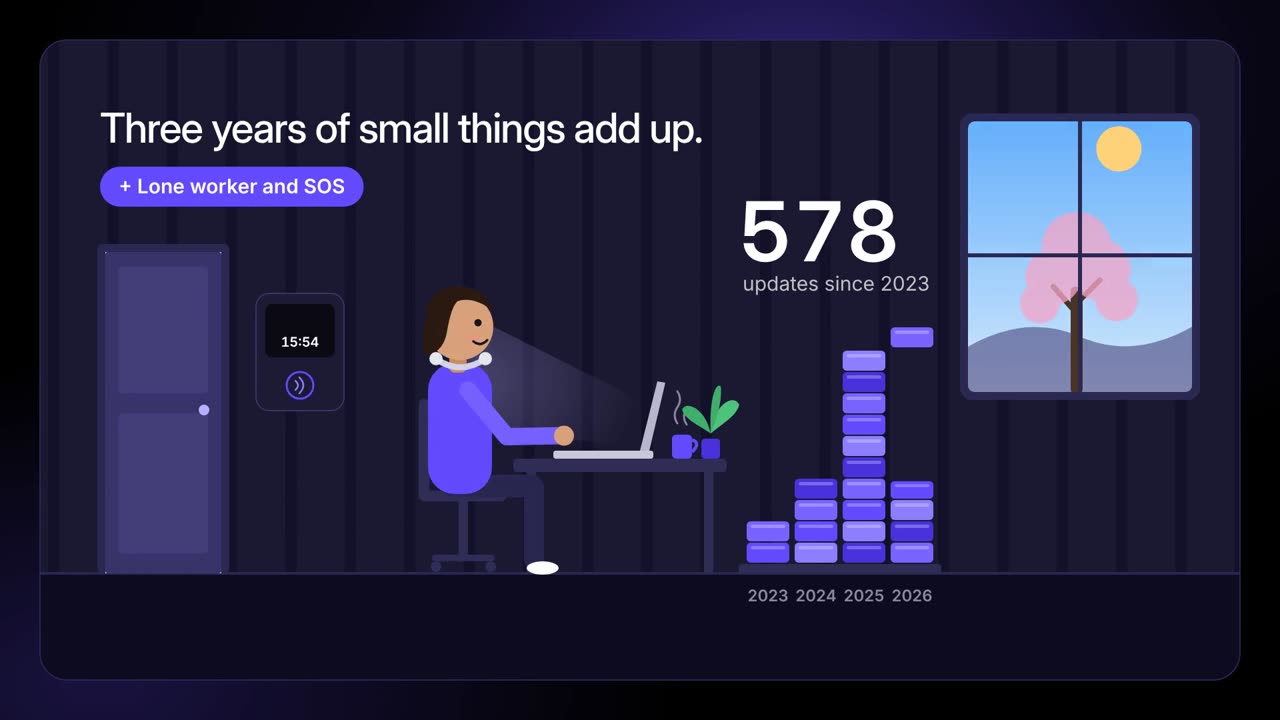
| 1 Sep 2026 | Firmware 5.1 | Lone worker settings and check-in times kept after a restart |
| 1 Sep 2026 | Firmware 5.1 | More reliable start-up for lanyards, clocks and gateways |
| 28 Aug 2026 | Sense HR 6.4.0 | Redesigned Event Manager |
| 28 Aug 2026 | Sense HR 6.4.0 | Length of service award timing by group |
| 28 Aug 2026 | Sense HR 6.4.0 | Holiday deduction for each working day (on request) |
| 26 Aug 2026 | Workflow Hub | Flexi time handles back-dated changes |
| 26 Aug 2026 | Workflow Hub | Flexi time break rules based on hours worked |
| 26 Aug 2026 | Workflow Hub | Carryover cap inside flexi time, global or by FTE |
| 26 Aug 2026 | Workflow Hub | Flexi time can use clock-in attendance records |
| 26 Aug 2026 | Lone worker · SOS | Alerts shown on the map even without GPS |
| 26 Aug 2026 | Presence | Door, temperature and humidity sensors on the indoor map |
| 25 Aug 2026 | Workflow Hub | Sickness alerts to admins, managers or a role you choose |
| 24 Aug 2026 | Workflow Hub | More settings in event and payroll-change notifications |
| 21 Aug 2026 | Workflow Hub | Personio attendance integration for Sense clocks |
| 20 Aug 2026 | Mobile app | Roll Call: one live register shared by every marshal |
| 19 Aug 2026 | AMI | Sense Counsel 1.0, the UK employment law assistant |
| 19 Aug 2026 | API | Planner events API |
| 18 Aug 2026 | Sense HR 6.3.4 | Working hours schedules with past start dates, and full history |
| 18 Aug 2026 | Sense HR 6.3.4 | Organisation Explorer filters |
| 18 Aug 2026 | Sense HR 6.3.4 | Organisation Explorer finds reporting loops |
| 18 Aug 2026 | Sense HR 6.3.4 | Zero contracted hours can now be set for people with no working pattern |
| 17 Aug 2026 | API | Employee data API, one call for every employee record |
| 14 Aug 2026 | Mobile app | Simpler rules for QR and manual clock-in |
| 13 Aug 2026 | Workflow Hub | Late and missed clock alerts for chosen groups |
| 12 Aug 2026 | Workflow Hub | Automatic document collection for chosen events |
| 11 Aug 2026 | Sense HR 6.3.3 | Organisation Explorer replaces the org chart |
| 11 Aug 2026 | Sense HR 6.3.3 | Export or print organisation views |
| 11 Aug 2026 | Sense HR 6.3.3 | Excel exports work with text pasted from Word or Outlook |
| 7 Aug 2026 | AMI | Presence Insights assistant |
| 7 Aug 2026 | Mobile app | Events calendar handles more events for large customers |
| 6 Aug 2026 | ATS | Indeed integration: publish, update and close jobs on Indeed |
| 6 Aug 2026 | ATS | Indeed applicants scored by AMI like every other applicant |
| 31 Jul 2026 | Mobile app | Tag Adoption app: register a clock card by tapping your phone |
| 30 Jul 2026 | Workflow Hub and AutomateSense Automate 6.8.0 | Find workflow runs faster. You can now filter workflow runs by name, state, dates and how they finished, including paused runs and report status. Tables also show more details, such as instance names and installed and deployed dates. |
| 30 Jul 2026 | Integrations and APISense Automate 6.8.0 | Pick a service connector when installing. When you set up a workflow installation, you can now choose a service connector directly, with less manual setup. |
| 30 Jul 2026 | FormsSense Automate 6.8.0 | Workflows can pre-fill forms. Workflows can now open a form with context and starting values already filled in. |
| 30 Jul 2026 | Workflow Hub and AutomateSense Automate 6.8.0 | Smoother workflow installation and navigation. The back button no longer gets stuck after installing, the installations list keeps your place, and you return to the list after uninstalling. Several table display issues are also fixed. |
| 30 Jul 2026 | Planner and absenceSense HR 6.3.1 | Change entitlement between days and hours. Admins will be able to switch an entitlement between days and hours even after bookings exist. Sense HR warns you first and flags affected bookings for review. |
| 30 Jul 2026 | Sense HR coreSense HR 6.3.1 | Time shown in hours and minutes. Time durations will show in hours and minutes (h:mm) instead of decimals across the platform, so they are easier to read. |
| 30 Jul 2026 | Planner and absenceSense HR 6.3.1 | Half-day and quarter-day booking rules. For time off linked to an entitlement, you will be able to allow or block part-day bookings and set the smallest booking as a half day or quarter day. |
| 30 Jul 2026 | Planner and absenceSense HR 6.3.1 | Grouped events in the Company Calendar. Bookings for the same event type on the same day will show as one entry in the Company Calendar. Select it to see who is away and their booking details. |
| 28 Jul 2026 | Presence, safety and hardware | Reassign many tasks at once. Admins can now select many tasks, including recurring task templates, and move them to another person in one step. This helps when someone is off sick or leaves. |
| 28 Jul 2026 | AMI and AI | AMI V2 agents with web search. A new version of AMI is now live, and you can start using V2 agents. Agents can now search the web and create images, and the earlier version stays available during the rollout. |
| 28 Jul 2026 | AMI and AI | Reasoning effort setting for AI agents. A new setting controls how much an agent thinks before it acts. Higher effort helps with complex, multi-step tasks, and lower effort makes simple tasks faster. |
| 27 Jul 2026 | Planner and absence | Personal Planner shows all permitted events. Users can now see every event type in their Personal Planner that they have permission to book. |
| 24 Jul 2026 | Mobile appmobile 1.1.449 | NFC card scanning in the mobile app. A new NFC scanner lets you scan a card or tag with your phone and assign it to a person, for example to set up a clock-in card during onboarding. |
| 24 Jul 2026 | Mobile appmobile 1.1.449 | Bolder tiles and better form questions. Tile text can now be bold or coloured so important tiles stand out. Checklist questions now allow up to 30 options, and dropdowns with no saved answer start empty. |
| 24 Jul 2026 | Mobile appmobile 1.1.449 | Expense ID on mobile expense entries. Expense entries in the mobile app can now carry an expense ID, which improves how expenses are matched and processed. |
| 24 Jul 2026 | Mobile appmobile 1.1.449 | Camera and calendar fixes in the mobile app. The camera now shows a live preview before you take a photo, date fields keep the date you chose, and the calendar today marker is tidier. Tapping a greyed-out date no longer closes the app. |
| 23 Jul 2026 | Forms | Live poll surveys (beta). As part of the Forms early adopter beta, admins can build a choice-based poll, send it to all employees, managers or admins, and see results update live. The poll closes on its due date, and results can be emailed to the creator. |
| 20 Jul 2026 | Planner and absenceSense HR 6.3.0 | Save your own company calendar views. You can now save your favourite filters and view settings in the Company Calendar as personal views. The standard views for everyone stay the same. |
| 20 Jul 2026 | Planner and absenceSense HR 6.3.0 | Filter the calendar by event category. Filter the Company Calendar by event category, such as Time Off, Sickness or Working, as well as by event type. You can also show only people with matching events. |
| 20 Jul 2026 | Planner and absenceSense HR 6.3.0 | More built-in calendar views. New ready-made views include Direct Reports, Indirect Reports, Who's Unavailable, Time Off, Sickness and Working, depending on your role and permissions. |
| 15 Jul 2026 | Presence, safety and hardware | Roll Call maps clocks to locations. Roll Call can now link each Anviz clock device ID to a location, so presence locations are right even when several clocks share one clock service. This is optional; without it, Roll Call uses the location set in the Presence console. |
| 8 Jul 2026 | Presence, safety and hardware | Lone worker and SOS mobile apps. New apps let people raise an SOS with one tap, start lone worker sessions and share their status in real time. A sessions view shows all active lone worker sessions and SOS events, and the SOS Responders workflow sets who is notified. |
| 8 Jul 2026 | Presence, safety and hardware | Raise an SOS from a Sense Tag. You can now set a button press pattern on a Sense Tag, for example three clicks, to raise an SOS. Notifications are managed in the SOS Responders workflow. |
| 8 Jul 2026 | Presence, safety and hardware | Presence data in the Sense mobile app. A new Presence app shows the same gateway presence information as the Presence web console, directly in the mobile app. |
| 8 Jul 2026 | Sense HR coreSense HR 6.2.0 | Find people by Employee ID. Employee ID is now a column in the People List and can be used to search, sort and filter. Sorting is also more consistent when people share the same first or last name. |
| 8 Jul 2026 | Planner and absenceSense HR 6.2.0 | Holiday year changes update entitlement automatically. When you change an employee's holiday year, Sense HR now updates the entitlement periods, booked time, remaining balance and summary for you. |
| 8 Jul 2026 | Reports and documentsSense HR 6.2.0 | Faster payroll extract reports. Reports that use Time Tracking Details data, such as payroll extracts, now run much faster and are less likely to time out. |
| 2 Jul 2026 | Time and attendance | QR code clock-in option. You can now choose how employees clock in on the mobile app: with the In Out button or by scanning a QR code shown on the clock screen. The code changes after each use, so old screenshots cannot be reused, which helps stop buddy punching. |
| 1 Jul 2026 | Forms | Weekly timesheet approval form (beta). As part of the Forms early adopter beta, employees get a timesheet every Monday, can save drafts and send it to their manager for approval. Hours and project time are saved to their HR record for reports and AMI. |
| 1 Jul 2026 | FormsForms 0.4.0 | Currency and time fields in Forms. You can now add a currency amount field and a time of day field to your forms. |
| 1 Jul 2026 | FormsForms 0.4.0 | Live shared form filling. When live mode is on, people filling in the same form see each other's answers update in real time without overwriting each other's work. Forms can also open with values already filled in. |
| 1 Jul 2026 | FormsForms 0.4.0 | Easier form sessions and sign-in. My Sessions now lists all your sessions, long text boxes grow to fit their content, error messages are easier to read, and you go straight to the normal login. |
| 1 Jul 2026 | FormsForms 0.4.0 | Forms reliability fixes. Forms no longer freeze when moving between steps, fields show in the right order, finished sessions no longer show as active, and images show in the public form viewer. |
| 1 Jul 2026 | Reports and documentsSense HR 6.1.0 | First day of week setting for reports. Reports with date columns now have a First day of week setting for filters like This Week and Last Week. This lets you match the week your business and payroll use. |
| 1 Jul 2026 | Integrations and APISense HR 6.1.0 | More employment data in the People API. The People API now includes more employment information, such as employment details, working hours setup and FTE. |
| 1 Jul 2026 | Sense HR coreSense HR 6.1.0 | More details in the Next Work Shift widget. The Next Work Shift widget now shows the same shift information as the employee's profile overview. |
| 1 Jul 2026 | Sense HR coreSense HR 6.1.0 | Screen saving and report progress fixes. Users with view-only access to time and attendance fields can now save other changes on a screen, and the progress dialog now appears when you create a new report after discarding a draft. |
| 30 Jun 2026 | Sense HR coreSense HR 6.0.0 | Next Work Shift widget on the dashboard. For non-admin users, the News widget on the dashboard is replaced by a Next Work Shift widget, so employees can see their next working hours quickly. |
| 30 Jun 2026 | Reports and documentsSense HR 6.0.0 | More reliable bulk document upload. Bulk document upload now checks files better, handles ZIP files more reliably and gives clearer messages, which means fewer import problems. |
| 30 Jun 2026 | Time and attendanceSense HR 6.0.0 | Clock records checked against server time. Clock records are now checked against server time, and records far in the future are rejected. This stops wrong attendance data from devices with the wrong time set, while allowing for small differences. |
| 30 Jun 2026 | Sense HR coreSense HR 6.0.0 | Scrolling, sorting and template signing fixes. Long read-only text fields can now be scrolled, Record # values sort in number order, and documents created from templates through the API now use the template's signatories. |
| 30 Jun 2026 | Presence, safety and hardware | Acknowledge and resolve SOS alerts. In the Presence console you can now acknowledge SOS alerts and mark them as resolved. You add a note each time, and the system saves it with the name of the person who handled the alert. |
| 30 Jun 2026 | Presence, safety and hardware | Easier floor plan setup and fixes. You no longer need a root building location to create a floor plan in the builder. Floor plans now show profile pictures correctly and move between floors properly in very tall buildings. |
| 29 Jun 2026 | Sense HR coreSense HR 6.0.0 | Design Return to Work and expense screens. Screen Designer now lets you create and manage Return to Work and expense line item screens, as well as profile screens, without asking support. Expense claims in the mobile app follow your screens, and Return to Work can have separate employee and manager versions. |
| 29 Jun 2026 | Sense HR coreSense HR 6.0.0 | Simpler Screen Designer with screen duplication. You can now copy an existing screen to build a similar one faster. Setup steps are simpler and clearer, and you can set a default width for dynamic screens across your organisation. |
| 29 Jun 2026 | Reports and documentsSense HR 6.0.0 | Share reports with users and managers. Published reports can now be shared with chosen users or all managers, even if they cannot open the Reports area. They only see data they already have permission to see, and draft reports stay private. |
| 29 Jun 2026 | Reports and documentsSense HR 6.0.0 | Faster charts and clearer report progress. Create Chart now opens in a dialog, and charts and Analyse with AMI work on filtered results without saving first. Exports and AMI analysis show clearer progress. |
| 29 Jun 2026 | AMI and AISense HR 6.0.0 | Clearer AMI access guidance. If you can see an AMI action but do not have AMI, the action is shown as disabled with guidance on how to get access. There is also better help when a pop-up blocker stops AMI from opening. |
| 29 Jun 2026 | Sense HR coreSense HR 6.0.0 | Complete To Dos on behalf of your team. Managers and admins with the right permissions can now view and complete To Dos for team members, so work does not get stuck when someone is away or has left. Rules such as document signing still apply. |
| 29 Jun 2026 | Sense HR coreSense HR 6.0.0 | Clearer My To Dos widget. The My To Dos widget now tells you if you have outstanding or overdue To Dos and takes you to the right tab. |
| 26 Jun 2026 | Integrations and API | Totara learning platform integration. Sense HR now keeps Totara up to date automatically when you add starters, change employee details or record leavers. It syncs account details, job details and reporting lines, and matches existing Totara users by email to avoid duplicates. |
| 25 Jun 2026 | Workflow Hub and Automate | New Discover page in Sense Automate. When you open Automate from the product switcher, you now land on the Discover page. It shows featured workflows, workflows you can configure and curated collections to help you find useful automation. |
| 24 Jun 2026 | Forms | Buy and sell holidays form (beta). As part of the Forms early adopter beta, a new workflow lets employees buy or sell holiday using screens that change based on the user and their answers. It needs a Forms licence; ask your account manager to take part. |
| 18 Jun 2026 | Workflow Hub and Automate | Milestone birthday reminder workflow. Choose which milestone birthdays to mark, such as 21st, 30th or 50th, when reminders go out and who gets them. The workflow can create tasks to plan a celebration and send the employee a birthday message on the day. |
| 18 Jun 2026 | Workflow Hub and Automate | Milestone work anniversary reminder workflow. Mark length of service milestones, such as 1, 5 or 10 years, with reminders to the people you choose. The workflow can create recognition tasks and send the employee a personal message on the day. |
| 16 Jun 2026 | Presence, safety and hardware | Bluetooth presence on the indoor map. The indoor map now shows Bluetooth (BLE) presence, so you can see occupancy and where team members are. |
| 10 Jun 2026 | AMI and AI | Long pasted text shows as an attachment. When you paste more than 200 characters into AMI, the text now appears as an attachment that you can click to open in full. |
| 8 Jun 2026 | Mobile app | Company calendar in the Sense mobile app. You can now view and book events from a calendar in the Events app. Filter by all events, your team's events or your own, switch between day and month views, and use the same permissions as on the web. |
| 4 Jun 2026 | Sense HR core | Manage each user's product access. Admins can now use the new Team access tab in Portal to choose which products each user can use, and set their ATS access level (admin or vacancy manager). Only products in your organisation's licence can be assigned. |
| 4 Jun 2026 | AMI and AI | AMI reads P11D files of any length. The AMI payroll tool can now process P11D uploads with any number of pages, grouping pages by National Insurance number. Before, only two-page P11D files were supported. |
| 3 Jun 2026 | Workflow Hub and Automate | Fully configurable Return to Work workflow. One Return to Work workflow now replaces the custom versions with fixed steps. Admins can set one to six steps, choose who completes each step, change the questions and pick when it starts. |
| 2 Jun 2026 | Planner and absenceSense HR 5.0.5.0 | Better default dates for new schedules. New schedules now start on today's date for current employees and on the start date for future starters. Past dates can no longer be picked, which avoids errors later. |
| 2 Jun 2026 | Reports and documentsSense HR 5.0.5.0 | Simpler company document upload. The documents page now opens on the tab that fits your permissions, and the upload wizard has clearer guidance. When you upload a company document, you now choose who it is for instead of a default of Everyone. |
| 2 Jun 2026 | Planner and absenceSense HR 5.0.5.0 | Entitlement settings and document editing fixes. Public holiday groups can now be removed from entitlement settings, including during planner setup, and display issues when editing company documents are fixed. |
| 1 Jun 2026 | Reports and documents | Clearer report column filters. Report filters now show clearly when they are active, and filter rules and date values are kept when you open them again. |
| 28 May 2026 | Workflow Hub and Automate | Performance Time workflow. This new workflow finds employees who leave early after finishing their required tasks and sends the time to their manager to approve. Approved time is added to the planner as a Performance Time event, using rules you can configure. |
| 27 May 2026 | Workflow Hub and Automate | Workflow Activity page. Admins now have a Workflow Activity page to check workflows in one place. See recent runs, spot failures, and track how long each run took and its status. |
| 27 May 2026 | AMI and AI | Agent Lab for your AMI agents. AMI agents now have their own space in Sense Automate, called the Agent Lab, where you can browse, install and update them. They no longer appear in the Workflow Hub. |
| 27 May 2026 | Workflow Hub and Automate | Sense Automate navigation fixes. The back button, version selection and breadcrumbs now work as expected, and page controls fit better on smaller screens. |
| 19 May 2026 | AMI and AI | ATS Reports AI agent for recruitment. A new AMI agent gives quick insights across vacancies, applications, candidates, interviews and recruitment documents. It helps you compare and rank candidates, analyse interview data and create recruitment reports. |
| 19 May 2026 | AMI and AI | Longer prompts in Analyse with AMI. The 500 character limit on prompts in Analyse with AMI has been removed, so you can ask longer, more detailed questions about your reports. |
| 18 May 2026 | ATS and hiring | Spot duplicate applications across vacancies. Sense ATS now shows duplicate applications across vacancies and marks candidates whose details match. |
| 18 May 2026 | ATS and hiring | Copy interview question sets between vacancies. You can now copy interview question sets from one vacancy to another. This makes it easy to start a new hiring process based on an existing or old vacancy. |
| 15 May 2026 | Planner and absence | Edit and backdate the current work pattern. Admins can edit the current work pattern and backdate its effective date, up to the employee's start date. This helps when settings were entered wrongly or an employee's situation changes. |
| 15 May 2026 | Workflow Hub and Automate | Choose when Return to Work starts. You can now choose when the Return to Work form is sent: when sickness is recorded, on the next working day without sickness, or when the employee first clocks back in. Current setups stay the same unless you change them. |
| 14 May 2026 | Workflow Hub and Automate | Configurable performance review workflow. One performance workflow now replaces all previous review versions. It starts as a simple two-step review and can have up to six steps for employees, managers and admins, with your own questions, emails, task titles and due dates. |
| 11 May 2026 | AMI and AI | Upload P60 files to the AMI payslip tool. You can now upload P60 files with the AMI payslip tool. |
| 7 May 2026 | Workflow Hub and Automate | Configurable birthday reminder. You can now set one or two birthday reminders, choose who receives them (admins, limited admins or managers), and decide if one person or everyone must complete the task. This replaces the fixed 30-day reminder. |
| 7 May 2026 | Workflow Hub and Automate | Data collection tasks workflow. Admins can now send tasks to one or more employees asking them to complete screens or check and update their details, such as bank details. You choose the screens, which fields they can change and the due date, and employees get an email. |
| 6 May 2026 | Presence, safety and hardware | One configurable Roll Call app. The four Roll Call app versions are now one app you can set up before you deploy it. Choose who can use it (admins, fire marshals or both) and how people are grouped, such as by Presence location, department, job role or a custom field. |
| 5 May 2026 | Planner and absenceSense HR 5.0 | Schedule working hours changes in advance. HR teams can now plan changes to working hours ahead of time, and Sense HR applies them on the right date. A timeline shows current and future hours, affected bookings are flagged for review, and entitlement is recalculated. |
| 5 May 2026 | Planner and absenceSense HR 5.0 | Faster, guided planner setup. Planner setup for new employees is now pre-filled from your global settings and the employee's start date. Entitlement is calculated for the current and next period, and you can see how it was worked out. |
| 5 May 2026 | Planner and absenceSense HR 5.0 | Clearer pending approval status. Events waiting for approval now look the same across the planner, company calendar and dashboard widgets, so you can spot them at a glance. |
| 5 May 2026 | Sense HR coreSense HR 5.0 | Search people by their Known As name. People search now finds employees by the name they go by (Known As), as well as by name, email, department and location. |
| 5 May 2026 | Reports and documentsSense HR 5.0 | New, simpler reporting experience. Reports now load faster, and it is easier to edit, save and publish them, with clear feedback at each step. Changing filters and fields is simpler, and Analyse with AMI works more smoothly. |
| 5 May 2026 | Reports and documentsSense HR 5.0 | Document read status and To Do report fixes. Company documents are now marked as read when they are downloaded, matching the profile record. To Do reports that include the Assignee field now load reliably. |
| 5 May 2026 | Workflow Hub and Automate | Configurable flexi time workflow. The Flexi Time TOIL workflow is now called Flexi Time and can be configured. You can choose the event name that suits your organisation, with TOIL as the default. |
| 5 May 2026 | Workflow Hub and Automate | Cycle carryover limit with custom cycles. The Monthly Carryover Cap is now called Cycle Carryover Limit. You can still expire extra entitlement at the start of each month, or set your own cycles using date ranges, which you set up each year. |
| 30 Apr 2026 | Workflow Hub and Automate | Configurable employment check expiry reminder. You can now set one or two reminders before an employment check's Valid To date, choose who receives them, including the employee, and decide if one person or everyone must complete the task. This replaces the fixed 30-day reminder. |
| 30 Apr 2026 | Planner and absence | Planner entitlement widget and bulk upload fixes. The planner entitlement widget now shows the right period for employees with a non-standard holiday year, such as April to March. Bulk upload now lets you book working events on non-working days when your event rules allow it. |
| 27 Apr 2026 | Presence, safety and hardwarefirmware 5.0.0 | More accurate indoor tracking with Sense Gateway. Sense Gateway firmware 5.0 improves Ultra-Wideband (UWB) tracking and Bluetooth detection of Android and iOS phones. It adds support for Wayfinder and Find Me, wider detection angles and on-demand tracking to save battery. |
| 27 Apr 2026 | Presence, safety and hardwarefirmware 5.0.0 | Compass and wayfinding on Sense Badge. Sense Badge firmware 5.0 adds a compass app and wayfinding to help staff find zones or tasks in large sites, and makes Find Me searches faster. Admins can also test and calibrate location tracking from the badge screen. |
| 27 Apr 2026 | Presence, safety and hardwarefirmware 5.0.0 | Safer and more useful Sense Badge. The Lone Worker timer now carries on after a badge restarts. Wearers can snooze task notifications, use new offline apps and see their profile picture and name, and the screen shows clearly when the badge is offline. |
| 27 Apr 2026 | Presence, safety and hardwarefirmware 5.0.0 | Sense Clock works better offline. Sense Clock firmware 5.0 shows clearly on screen when the clock is offline, and restarts its network connection by itself if it cannot connect. Location sensors are switched off on the clock so it responds faster when staff clock in and out. |
| 27 Apr 2026 | Presence, safety and hardwarefirmware 5.0.0 | Quicker device setup and update tracking. Sense Gateway, Sense Clock and Sense Badge can now set up their network settings automatically from the SIM card. Admins can see the progress of software updates, and badges install updates while on charge so they are ready for the next shift. |
| 27 Apr 2026 | AMI and AI | Clockwise AI agent for time and attendance. Clockwise is a new AMI agent that compares shift schedules with clock-in times, holidays and absence. It shows who is working, late, absent or on leave, and points out missed shifts, gaps in cover and attendance trends. |
| 24 Apr 2026 | Workflow Hub and Automate | Configurable length of service anniversary reminder. You can now set one or two reminders before an employee's length of service date, choose who receives them, and decide if one person or everyone must complete the task. This replaces the fixed 30-day reminder. |
| 22 Apr 2026 | Workflow Hub and Automate | Monthly carryover cap workflow in the Hub. This workflow limits how much leave balance an employee can carry into each new month, and expires any amount above the cap. It is often used for TOIL but works with any leave type. |
| 21 Apr 2026 | Workflow Hub and Automate | Configurable workflows in the Workflow Hub. You can now install a workflow from the Workflow Hub and change its key settings to fit your organisation's processes. There is no need for custom development or copies of the same workflow. |
| 21 Apr 2026 | Workflow Hub and Automate | Configurable overtime adjustments workflow. One overtime workflow now replaces the two old versions. You can set eligibility rules, rounding and task handling, and choose to calculate overtime by end time or by hours. |
| 21 Apr 2026 | Workflow Hub and Automate | Configurable probation reminder workflow. One probation reminder now replaces four fixed reminders. Choose the probation date to track, such as the end or review date, and who gets the reminder: admins, limited admins, managers or employees. |
| 21 Apr 2026 | Workflow Hub and Automate | Custom expiry reminder workflow. A new reminder finds custom expiry dates on your screens and sends reminders before they expire. You can set two reminder times, such as 7 and 30 days, and choose who receives them. |
| 21 Apr 2026 | Workflow Hub and Automate | Configurable late and missed clocks workflow. You can now set a grace period for late arrivals and missed clock-ins, and choose whether to add a 'Late' event to the employee's planner. Existing settings stay the same until you change them. |
| 21 Apr 2026 | Workflow Hub and Automate | TOIL workflow screen name setting. The TOIL (time off in lieu) workflow now lets you choose the screen name it uses, so it fits your setup. |
| 21 Apr 2026 | Workflow Hub and Automate | Entitlement carryover expiry workflow in the Hub. The entitlement carryover expiry workflow is now available in the Workflow Hub. Admins can choose when it runs and which event type it checks. |
| 20 Apr 2026 | Sense HR core | Bulk upload accepts more ZIP file names. When you import documents in a ZIP file, folder and file names can now use any type of dash. This stops upload errors on some devices, including Mac computers, with no change to your naming. |
| 20 Apr 2026 | Planner and absence | Bulk upload durations now match the planner. Event durations added through bulk upload now use the same rules as planner bookings, so only valid working days are deducted, including when public holidays are booked automatically. |
| 16 Apr 2026 | AMI and AI | Headcount Agent for workforce insights. The new Headcount Agent in the Workflow Hub gives clear answers about your workforce, such as headcount, department breakdowns and key employee milestones. |
| 16 Apr 2026 | AMI and AI | Tasks Agent to track and assign work. The new Tasks Agent helps you track, manage and assign tasks based on deadlines, priorities and team structure. |
| 16 Apr 2026 | Planner and absence | Limited admins can authorise time off. Limited admins are now treated as admins in the default event authorisation workflow, for the people they can access. Time off they add for someone is approved automatically, and requests from people with no manager now go to them too. |
| 15 Apr 2026 | Mobile app | Attachments in the Sense mobile app. Profile screens with attachment fields now show their attachments in the Sense mobile app, in My Profile, People Profile and To Dos. You can add, view and delete attachments on the go. |
| 8 Apr 2026 | Security and trust | Single sign-on with Microsoft or Google. Admins can now invite users to sign in to Sense with Microsoft or Google single sign-on (SSO), using a new Workflow Hub workflow. People log in with their existing work account, which is faster and more secure. |
| 7 Apr 2026 | Sense HR coreSense HR 4.1.2.0 | Warnings for new dropdown values in uploads. Bulk Upload now tells you when a value does not match an existing dropdown option. This helps avoid accidental duplicates while still letting you add new values. |
| 7 Apr 2026 | Reports and documentsSense HR 4.1.2.0 | Sort documents into categories during bulk upload. Documents can now be put into categories automatically during bulk upload, based on how the files are named. |
| 7 Apr 2026 | Sense HR coreSense HR 4.1.2.0 | Warning before leaving unsaved changes. You are now warned before leaving a table screen or a form To Do with unsaved changes, so you do not lose your work. |
| 7 Apr 2026 | Sense HR coreSense HR 4.1.2.0 | Easier scrolling across Sense HR. Scrollbars are now easier to see and use, especially in pop-ups and screens with a lot of data. |
| 7 Apr 2026 | Sense HR coreSense HR 4.1.2.0 | Activity history on each profile. The activity history on a profile now works like the activity page, with filters, and shows only activity for that person. |
| 7 Apr 2026 | AMI and AISense HR 4.1.2.0 | Analyse with AMI for non-admin roles. Non-admin roles can now be given access to the Analyse with AMI option in the Reports area. |
| 7 Apr 2026 | Reports and documentsSense HR 4.1.2.0 | Faster report results grid. The report results grid now shows up to 500 records so it loads faster. You can still export larger data sets. |
| 7 Apr 2026 | Sense HR coreSense HR 4.1.2.0 | Fixes for people search and reports. Searching the People list by full name now returns results. Absence summaries for leavers and total entitlement in the Event Entitlement report now show correctly, with 2 decimal places. |
| 7 Apr 2026 | AMI and AI | Clearer error messages in AMI. If an AMI agent cannot complete a request, you now see a friendly message asking you to try again instead of a technical error. |
| 1 Apr 2026 | ATS and hiring | Applicants can apply to AMI by voice. Applicants can now speak to AMI during their application to answer questions and give details without typing. It works inside the existing AMI application flow with no extra set-up. |
| 1 Apr 2026 | Sense HR core | Hyphens and underscores in employee IDs. Employee IDs can now include hyphens (-) and underscores (_) as well as letters and numbers. |
| 31 Mar 2026 | AMI and AI | AMI agent sends documents for signature. A new AMI agent in the Workflow Hub lets admins tell AMI which document template to send and who should receive it. AMI then creates the documents and To Dos for each person to sign. |
| 31 Mar 2026 | Presence, safety and hardware | Profile pictures on the Sense Badge. The Sense Badge can now show the wearer's profile picture on the lock screen, so people can see whose badge it is and cover staff can see who is who on site. Upload a profile picture in Sense HR, then run the wearer onboarding workflow to send it to the badge. |
| 31 Mar 2026 | Time and attendance | New sync app for Anviz clocks. Anviz clocks now have a new connector and a Windows sync app. |
| 26 Mar 2026 | Sense HR coreSense HR 4.1.0 | View all activity page for admins. Admins can now open a full activity page to search and filter user activity by date, user, action, profile, screen and keyword, and see before and after values. Activity is available from 1 January 2025 and matches the User Activity Reports. |
| 26 Mar 2026 | Sense HR coreSense HR 4.1.0 | Faster People list. The People list page now loads faster, with better performance across dynamic screens and dashboards. |
| 26 Mar 2026 | Planner and absenceSense HR 4.1.0 | Fixes for planner, To Dos and filters. The planner now shows data correctly when you switch between event types with different entitlement periods, and managers can complete To Dos linked to leavers. 'Does not contain' filters now include empty fields, Add Record pop-ups scroll fully, and report names with special characters work with AMI summaries. |
| 26 Mar 2026 | AMI and AI | Speak to AMI and hear replies. AMI agents can now take voice input, turn speech into text and read replies aloud, with replay controls. |
| 23 Mar 2026 | Reports and documents | Download company documents from the preview. You can now download company documents straight from the preview window, with no extra steps. |
| 23 Mar 2026 | Sense HR core | Uploads work with blank employee IDs. Uploads to screens such as Pay Details no longer fail validation when some records have a blank employee ID. |
| 19 Mar 2026 | ATS and hiring | Hiring managers see only their vacancies. Hiring managers added to a vacancy now see only that vacancy and its applicants by default, so access matches the roles they are responsible for. |
| 19 Mar 2026 | ATS and hiring | Clearer 'Start application' button for AMI. The button that starts an AMI chat application now says 'Start application', which is clearer for applicants. |
| 19 Mar 2026 | ATS and hiring | Internal-only job feed for vacancies. A new vacancy setting lets you share chosen roles in an internal RSS feed without publishing them externally. This supports internal hiring and moves within the organisation. |
| 18 Mar 2026 | Reports and documents | More reliable large document generation. Document merging is now more stable for large documents, including those over 400 pages and those with signature merge tags. |
| 18 Mar 2026 | Sense HR core | Up to 100 files in attachment fields. Attachment fields in Screen Designer now take up to 100 files, uploaded in batches of up to 50 MB to keep things running smoothly. |
| 18 Mar 2026 | Reports and documents | Fixes for attachments, templates and time reports. Attachments on screens, including PDFs, now download as expected, and document templates fill in merge tags for every row in a table, not just the first 9. Negative times in Attendance and Payroll reports now show clearly, for example -5:54. |
| 13 Mar 2026 | ATS and hiring | AMI collects applicant details from CVs. When AMI is turned on for a vacancy, applicants no longer fill in a form first. AMI asks for their details or reads them from an uploaded CV or cover letter, and saves the documents to the applicant's record. |
| 13 Mar 2026 | ATS and hiring | Connect Outlook to Sense ATS. You can now connect your Microsoft Outlook inbox to Sense ATS, so emails with applicants are stored on the applicant's profile. |
| 12 Mar 2026 | Planner and absenceSense HR 4.0.0.0 | Event colours shown on planner dates. Planner dates now show the event colour when there is a single event, so you can see the event type at a glance. Dates with several events show a clear marker. |
| 12 Mar 2026 | Time and attendanceSense HR 4.0.0.0 | Clock processing logs in Sense HR. Clock processing logs are now shown in the system, with employee details such as name, location, department and ID where available. This makes it easier to find and fix clocking issues. |
| 12 Mar 2026 | Workflow Hub and AutomateSense HR 4.0.0.0 | Workflows can set dropdown fields by text. Workflows that save profile screen data can now send dropdown values as text instead of internal IDs. Existing values are matched and new ones are created, which makes building workflows simpler. |
| 12 Mar 2026 | Sense HR coreSense HR 4.0.0.0 | More reliable bulk upload checks. Bulk Upload now finds problems during validation instead of during import. Employee IDs and duplicate rows are checked without regard to upper or lower case, and document uploads no longer fail because of skipped files. |
| 12 Mar 2026 | Presence, safety and hardware | Lone worker sessions and SOS alerts. Employees working alone can start a monitored session from the Sense mobile app or a Sense Badge and are asked to check in at set times, such as every 15, 30 or 60 minutes. They can also send an SOS alert, with a five-second countdown to cancel it if pressed by mistake. |
| 12 Mar 2026 | Presence, safety and hardware | Live map console for lone workers. Supervisors can follow active lone worker sessions on a live map showing each person's status and location, and an SOS turns their icon red. Alerts can be marked as received, pending, acknowledged or resolved, and a full log of alerts and response times supports duty of care. |
| 12 Mar 2026 | Presence, safety and hardware | Automatic escalation for missed check-ins. Missed check-ins and SOS alerts start workflows that can send emails, SMS, Slack or Teams messages. Alerts can follow an escalation path, such as a supervisor first and another contact 10 minutes later. |
| 12 Mar 2026 | Presence, safety and hardware | Sense Badge for lone worker safety. The Sense Badge sends its GPS location every 5 minutes and stores data and SOS alerts when offline, sending them as soon as it finds a network. With indoor Sense Gateways it can show the zone or exact spot a person is in. |
| 11 Mar 2026 | Reports and documentsSense HR 4.0.0.0 | More data fields for reports. Reports now have more entities and data fields to choose from across several report types. HR, payroll and report builders can go deeper with fewer workarounds. |
| 11 Mar 2026 | Reports and documentsSense HR 4.0.0.0 | Reports for HR and payroll without admin rights. Admins can now give non-admin roles, such as HR managers, payroll teams and managers, access to build and run reports through Access Role Management. Reports only show data each person is already allowed to see. |
| 11 Mar 2026 | Reports and documentsSense HR 4.0.0.0 | Faster reports for large organisations. A new reporting engine prepares data once for each report, which makes reports faster and more stable for large organisations and for reports that combine many screens. |
| 11 Mar 2026 | Planner and absenceSense HR 4.0.0.0 | People filters for the Company Calendar. You can now filter the Company Calendar by department, location, job title, contract type and sub-company, or by direct reports, indirect reports and managers, and include or exclude specific people. Filters work across Calendar, List and People views and never widen anyone's access. |
| 11 Mar 2026 | Mobile app | Pages for long tables in the mobile app. Table screens in the Sense mobile app now show 15 records per page with Back and Next buttons, so long lists such as training records load faster. This is automatic on My Profile and available from the Workflow Hub for the People Profile app. |
| 9 Mar 2026 | Time and attendance | Clocks detect IN and OUT automatically. Sense now works out whether each clock tap is an IN or an OUT from the employee's clock history and shift. This keeps attendance records consistent across different clock hardware. |
| 9 Mar 2026 | Time and attendance | Missed clock-ins completed from working patterns. If someone forgets to clock in but clocks near the end of their scheduled shift, Sense can use their working pattern to add the missing clock-in and complete the shift. |
| 9 Mar 2026 | Time and attendance | Overnight shifts in mobile clocking. Early morning clock-outs from the Sense mobile app now match the previous day's clock-in, so shifts that cross midnight are recorded as one session. |
| 9 Mar 2026 | Time and attendance | Protection against double taps and stray clocks. Sense now ignores double taps within 30 seconds, drops events that arrive out of order, and flags clocks that do not match the schedule. This means fewer accidental or conflicting entries. |
| 9 Mar 2026 | Time and attendance | Enter NFC card IDs directly. When setting up clocks, you can now enter the real employee or card ID for NFC cards, with no need to convert it to hexadecimal. |
| 9 Mar 2026 | Planner and absence | Upload entitlement for any year, any order. You can now upload entitlement data for any period in any order, including past years after the current year already exists. If data already exists for that period, you get a clear validation message. |
| 9 Mar 2026 | Planner and absence | Fixes for entitlement, patterns and To Dos. Entitlement can no longer be uploaded for a year before the employee started, and patterns set up with Daily Times now reopen correctly. To Dos move to overdue at the right time and badge counts stay accurate. |
| 4 Mar 2026 | Sense HR core | Dropdown values trimmed in bulk upload. Bulk Upload now trims extra spaces from dropdown values, such as 'London ', so it no longer creates duplicate options. |
| 3 Mar 2026 | Sense HR core | Bulk upload duplicate and date format fixes. Bulk Upload no longer flags duplicate errors when you upload several records for the same employee. Composite keys now accept dates as dd/MM/yy as well as dd/MM/yyyy. |
| 26 Feb 2026 | Planner and absence | Clearer working days in the profile planner. In the profile planner, non-working days are now shaded darker in month view. The year view marks working and non-working days and highlights today's events. |
| 26 Feb 2026 | Sense HR core | Bulk upload checks match screen rules. Bulk Upload checks for bank details and National Insurance numbers now follow the same rules as Screen Designer, and document bulk uploads now validate correctly. |
| 26 Feb 2026 | Planner and absence | Requester comments shown again in To Dos. Comments from the person making a request are visible again when you open an event approval request from your To Dos. |
| 26 Feb 2026 | Sense HR core | New admins get product access straight away. When a new HR admin registers, products such as AMI are now assigned straight away instead of at midnight. This removes confusion about missing products on the first day. |
| 24 Feb 2026 | Planner and absence | Limited Admins can adjust entitlements. Users with the Limited Admin role can now adjust entitlements from the widget when they have access to do so. |
| 24 Feb 2026 | Mobile app | My Shifts mobile app. The new My Shifts app shows employees when they are scheduled to work in one tap, with quick switching between weeks. It also shows clearly when time off or sickness falls on a working day. |
| 23 Feb 2026 | Workflow Hub and Automate | Send screens to employees on a schedule. The new Scheduled Screen Task workflow sends a chosen screen to employees at a set date and time to review and complete. Form screens are sent with their current data, and table screens as a new blank record. |
| 23 Feb 2026 | Mobile app | Mobile browser sign-in suggests the app. When someone signs in from a mobile web browser, they are now invited to download the Sense mobile app for a better experience. They can still continue on the web if they prefer. |
| 20 Feb 2026 | Sense HR core | Resizable form pop-ups and growing text fields. Form pop-ups, including submissions and new table records, can now be made bigger. Paragraph fields grow as you type, so longer text is easier to write and read. |
| 19 Feb 2026 | Planner and absence | Monthly carryover cap for leave balances. A new workflow template limits how much leave, often TOIL, an employee can carry into each month and expires anything above the cap. Admins choose the event, the cap and when it runs, and get a monthly report of changes. |
| 19 Feb 2026 | Reports and documents | Date and currency formats in documents. You can now choose how dates and currency appear in formal documents, including local formats, dates like 1st November 2025, and currency symbols with thousands separators. This helps organisations outside the UK follow local conventions. |
| 19 Feb 2026 | Sense HR core | Remove rows during bulk upload checks. During Bulk Upload validation you can now remove single rows, with a confirmation step, and fix problems inside the upload instead of going back to Excel. |
| 19 Feb 2026 | Sense HR core | Newest job and pay records shown first. Job Details and Pay Details are now sorted by start or effective date with the newest first, so current information is easy to find. |
| 19 Feb 2026 | Time and attendance | Midnight times allowed in working patterns. Working patterns can now be saved with times between 00:00 and 00:59. |
| 16 Feb 2026 | Planner and absence | Planner event types stay editable. Planner event definitions can now be edited or deleted after switching between sickness and other event types. |
| 13 Feb 2026 | Integrations and API | Add or remove lost entitlement through the API. The API can now add or remove time from lost entitlement instead of overwriting it. This lets things like monthly TOIL expiry build up correctly without affecting existing workflows. |
| 13 Feb 2026 | Sense HR core | Fixes for date picker and time uploads. On table screens, the date picker now only opens when you select the date field. Bulk Upload keeps times that start with zero, such as 09:00, as shown in Excel, and time off uploads check required fields correctly. |
| 10 Feb 2026 | AMI and AI | Choose document categories for AMI payslip uploads. When you upload payroll documents with the AMI payslip uploader, you can now pick from your existing Sense HR document categories, so files are filed in the right place. |
| 9 Feb 2026 | Sense HR core | Bulk upload fills new fields on existing screens. Admins can now use Bulk Upload to fill in newly added fields on form screens that already hold employee data, instead of updating each record by hand. |
| 9 Feb 2026 | Sense HR core | Bulk upload validation fixes. Bulk Upload no longer gets stuck while validating after a screen is changed. Switch fields, mandatory fields and duplicate entries are now checked and saved correctly. |
| 5 Feb 2026 | Time and attendance | Verify Attendance workflow for manual entries. Managers can now review and verify attendance entries that employees submit by hand through the Planner or mobile app. Reports show which entries are verified and which are not. |
| 3 Feb 2026 | Planner and absence | Daily email showing who is absent. A new Workflow Hub workflow sends admins one email each day listing who is off on approved time off or sickness and who is scheduled but has not clocked in. This helps you plan cover early. |
| 3 Feb 2026 | Sense HR core | Duplicate records on table screens. Admins can now duplicate an existing record on table screens, such as Job and Pay Details, from the 3-dot menu and make small changes. This saves re-entering similar data. |
| 3 Feb 2026 | Sense HR core | Company Calendar and leaver access fixes. The Company Calendar '+x more' overlay and views now display correctly, including when you come back from other pages. Leavers now keep access until the end of their leaving date instead of losing it straight away. |
| 3 Feb 2026 | Sense HR core | Bulk import personal documents. You can now import personal documents for all employees in one go with the data loader: download the folder structure, add each person's documents, then zip and upload. If a document already exists, you can skip it, overwrite it or upload a copy. |
| 2 Feb 2026 | Time and attendance | Timesheet Requests workflow for worked hours. Employees can submit their start time, end time and total hours for a day, and managers get an email to approve or decline. Deploying it from the Workflow Hub adds the screen it needs, with no help from support. |
| 2 Feb 2026 | Mobile app | New field types in mobile profiles. The Sense mobile app now shows currency, link and rich text fields in profiles, with improved checkboxes and radio buttons and higher limits on several widgets. |
| 2 Feb 2026 | Mobile app | Keep form progress when switching apps. You can now leave the Sense mobile app while filling in a form and come back without losing your progress. Your screen and data stay as they were. |
| 30 Jan 2026 | Planner and absence | Sick note field on Return to Work. The Return to Work screen has a new optional sick note field, with guidance on attaching supporting documents such as medical clearance or recommended adjustments. |
| 30 Jan 2026 | Reports and documents | Renamed screens show correctly in reports. When you rename a profile screen, the new name now shows correctly in the Reports area. |
| 30 Jan 2026 | Time and attendance | Ready-made UK working patterns. New customers now get a set of standard UK working patterns, including full-time, part-time, shift, flexi-time, compressed and sector-specific schedules. You can use them as they are or change them to fit your organisation. |
| 30 Jan 2026 | Integrations and API | Personal and shared Outlook connections together. The Outlook integration supports both personal and shared connections again, and the two now work side by side. |
| 28 Jan 2026 | Time and attendance | Warning before switching working pattern type. You now see a confirmation message before switching a working pattern between Daily Times and Daily Hours, so you do not lose data by accident. |
| 28 Jan 2026 | Sense HR core | Fixes for leave booking, shifts and reports. Changing the start date when booking maternity or paternity leave now validates correctly, and the Next Shift widget shows hours as hh:mm, for example 07:30. Fields picked through search in a report draft are now added as expected. |
| 27 Jan 2026 | Sense HR core | Load data into your custom screens. The data loader now supports custom screens, so you can bulk upload data straight into screens you have built in Screen Designer. You keep control of structure and validation. |
| 22 Jan 2026 | Planner and absence | Managers can add sickness for employees. Admins and managers can now add sickness on behalf of the people they have access to, using the Events app. This helps when someone cannot log their own absence. |
| 21 Jan 2026 | Workflow Hub and Automate | Email report download links from workflows. Sense Automate can now send reports by email with download links. For now this is for customers who build their own workflows. |
| 20 Jan 2026 | ATS and hiring | Bulk move applicants between stages. In Sense ATS you can now select several applicants and move them to another pipeline stage from the bottom bar. This helps with large pipelines where drag and drop is hard. |
| 19 Jan 2026 | Planner and absence | Company Calendar opens in People week view. The Company Calendar now opens in the People view first, followed by Calendar and then List. The People view opens in week mode, giving a clearer picture of the week's attendance and bookings. |
| 19 Jan 2026 | Time and attendance | Attendance problems highlighted at a glance. Attendance problems are now highlighted, such as an OUT recorded first, two INs or two OUTs in a row, or a missing clock-out. Managers can spot issues quickly without opening each record. |
| 19 Jan 2026 | Reports and documents | Length of service shows in reports. Length of service in months and years now shows correctly in Profile Information reports. |
| 16 Jan 2026 | Planner and absence | Sickness end reminders for managers. A new version of the Sickness Ends Today reminder sends the To Do and email to managers instead of admins. It arrives the day before the employee is due back, so there is time to check in and update the end date. |
| 12 Jan 2026 | Mobile app | People Profile app for managers and admins. Admins and managers can now view and manage other people's profiles on the go with the new People Profile app, available from the Workflow Hub. What each person can see and edit follows their existing permissions. |
| 12 Jan 2026 | Workflow Hub and AutomateSense Automate 6.2.0 | Smoother Workflow Hub and designer. In Sense Automate, filters and sorting now stay in place when you move between pages, and the Workflow Hub shows the newest items first. Layouts in the Workflow Hub and designer are clearer and easier to read. |
| 12 Jan 2026 | Workflow Hub and AutomateSense Automate 6.2.0 | Workflow logs shown beside the designer. A new side-by-side view shows workflow logs next to the designer canvas, so it is easier to see what happened and fix problems. |
| 9 Jan 2026 | Workflow Hub and Automate | Six-step performance review workflow. A new performance review workflow takes each review through six steps: employee self-assessment, manager feedback, HR review, employee sign-off, then final manager and HR sign-off. It comes with a ready-made screen that you can edit. |
| 8 Jan 2026 | Mobile app | Add expense receipts from files. In the Sense mobile app you can now add expense receipts from your files, as well as by photo or from your camera roll, including PDF invoices and Word documents. Update the app and the workflow in the Workflow Hub to use it. |
| 7 Jan 2026 | Reports and documents | Working hours merge tags fill in correctly. Document template merge tags for contracted hours, working hours, holiday year and public holiday details now fill in correctly, so templates generate as expected. |
| 6 Jan 2026 | Planner and absence | Fit note reminders after seven days off. A new workflow sends fit note reminders only when a sickness lasts more than seven days in a row, in line with the UK rule. It checks every day and triggers on the employee's next working day while they are still off sick. |
| 6 Jan 2026 | Planner and absence | See remaining entitlement on time off requests. When managers view an event request in the To Dos app, they can now see how much entitlement the employee has left for that event. This helps them decide whether to approve or decline. |
| 6 Jan 2026 | Reports and documents | Signature needed before signing a document. Users can no longer submit a document for signing without drawing a signature in the signature box. |