
Lone Worker Safety

Find and protect your lone workers

See who is working alone, and give them a way to raise the alarm if something goes wrong. Sense detects hard falls, SOS calls, missed check-ins and more, and tells you where to find each person.

Watch 4 min video
Choose Your Set-Up

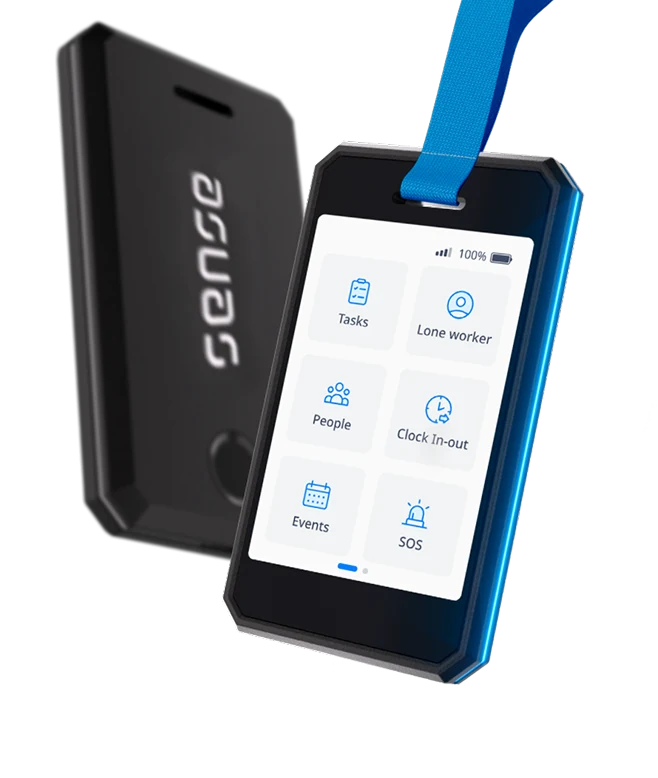
Protect your lone workers with a phone, Tag, or Badge

SENSE BADGESENSE TAGSENSE APP
What it isWearable badge with touch screenDiscreet ID card with buttonMobile app on staff phones
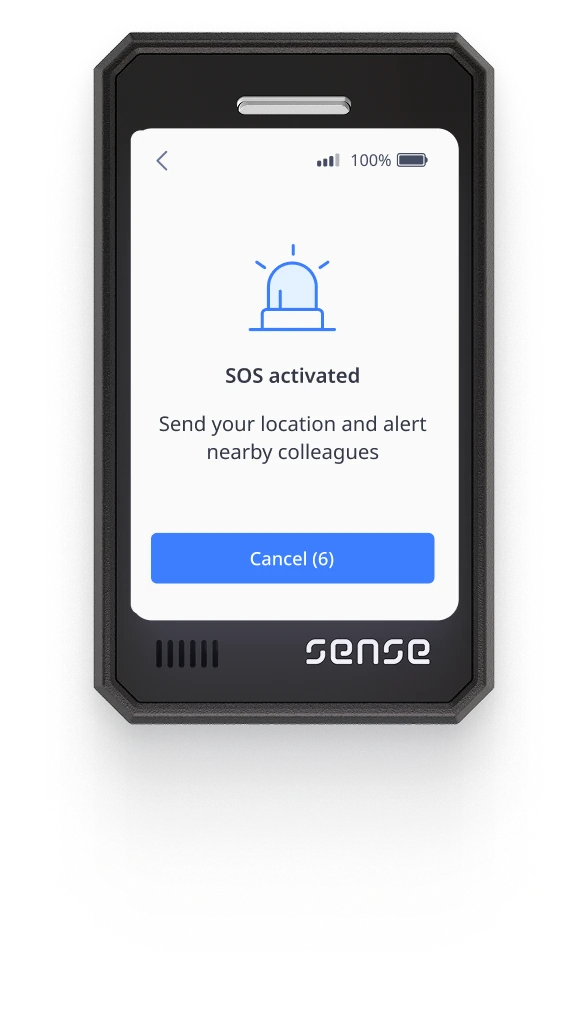
SOS buttonYes - tap tile on screenYes - push physical buttonYes - option in the app
Hard fall detectionYesNoNo
Passive safety checks?Yes, set check-in intervalNoYes, set check-in interval
Location sharingIndoors and outdoorsIndoors via GatewaysPhone GPS
Needs a phone?NoNoYes
How An Alert Works

Respond fast, in the way that best suits each team's situation

  1. 1

    Alarm raised

    Triggered when a worker hits the SOS button, misses a check-in, or suffers a hard fall or heavy impact.

  2. 2

    Alerts sent

    Decide who each alert gets sent to, such as the on-site first aider, or the employee's direct supervisor.

  3. 3

    Custom escalations

    Decide what steps each alarm should trigger, such as sending a nearby colleague to investigate.

  4. 4

    Incidents logged

    Every alert is saved in your system and easy to access in case of future audits or investigations.

Lone worker safety features

Live Location Map

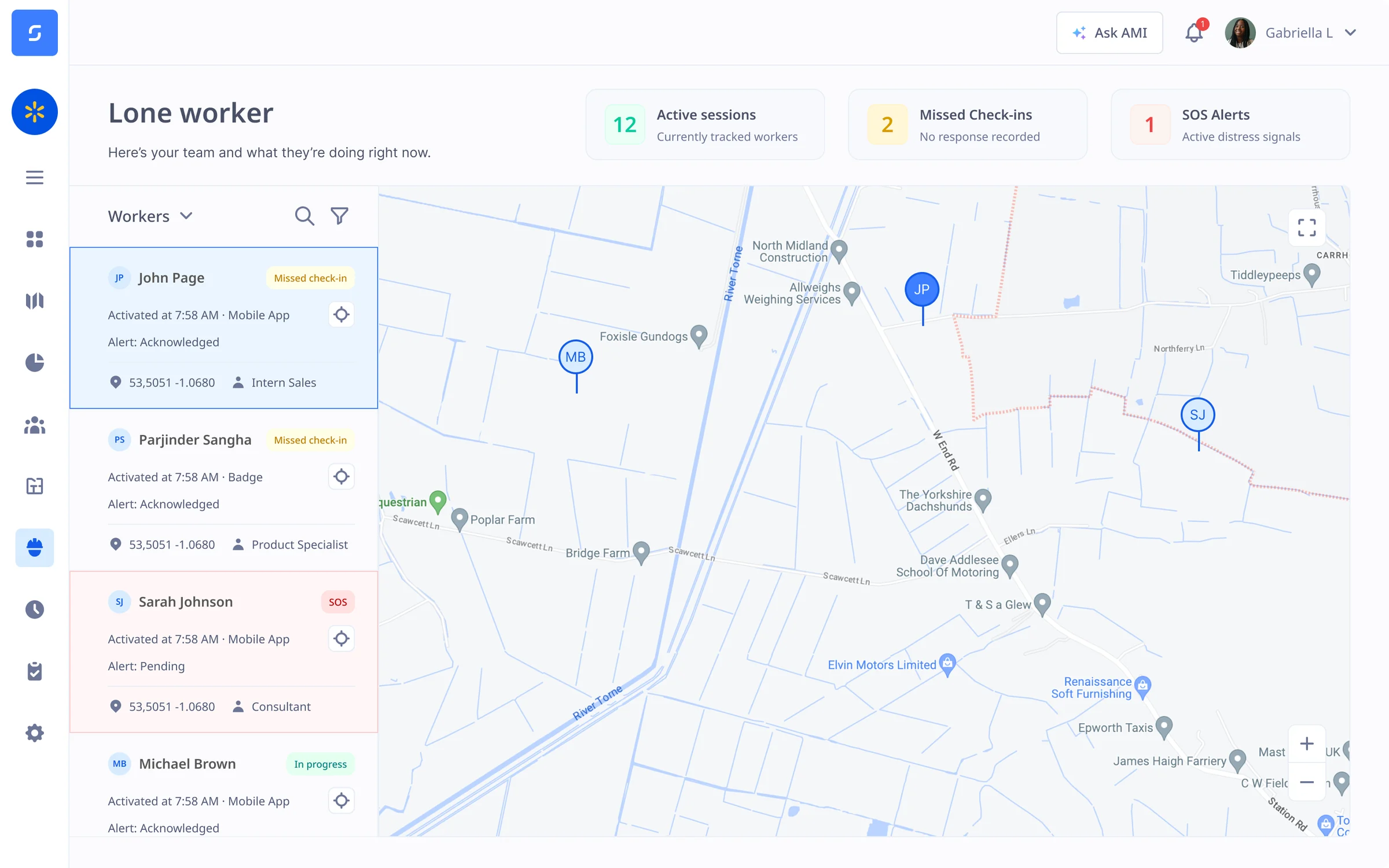
See all lone workers on one live map

Reveal the live location of each lone worker on one central map, so you always know where they are. Zoom into buildings or client sites to see which areas, zones or rooms people are working in.

  • Live location, indoors and out
  • All lone workers in one central dashboard
  • Send help fast if something goes wrong
See how the Sense Gateway reveals staff indoors
SOS Buttons

Quickly call for help in one press

Give staff an easy way to raise the alarm with a dedicated SOS button via the Sense Tag, the Sense Badge, or an app on their mobile phone. Each SOS triggers a custom response workflow set by you.

  • SOS via the Tag, Badge, or app
  • Discreet and easy to find
  • Customise your own response workflow
Book a demo today
Passive Check-Ins

Raise the alarm, even when they can't

Set a check-in timer for each lone worker. If they don't check in on time, Sense raises an alert automatically, with their location. Perfect for situations where staff may find themselves unable to push the SOS button.

  • Set custom check-in intervals by role
  • Decide what happens when a check-in is missed
  • Works on the Sense Badge and the Sense app
Book a demo today
Man Down System

Detect hard falls, impacts, and no movement

The Sense Badge detects hard falls, heavy impacts and a lack of movement, and can raise an SOS alert automatically. This helps you respond faster in situations where time is your biggest enemy.

  • Hard fall and impact detection
  • No-movement alerts
  • Automatic SOS with location
See man down and SOS alarms
Your Team, Your Alerts

Safety alerts sent to your own team

Sense does not send alerts to an external alarm receiving centre. Instead, alerts go to the people you choose, such as a supervisor, a first aider, or your central control room.

  • Choose who gets each alert
  • No monthly call centre fee
Discover our custom workflow builder
Health and Safety Compliance

Prove you did your duty of care

Every alert, check-in and response is saved for future audit or investigation, to help you show your health and safety team, or an inspector, what happened and how fast you acted.

Book a demo today
Lone Worker Sessions

Choose how lone worker sessions start

Not everyone works alone every day. Staff who only sometimes work alone can start a lone worker session when they need one, and end it when they're done. Or you can set staff as lone workers by default.

  • Start lone worker sessions on demand
  • Set people as lone workers by default
  • Check-ins and workflows switch on automatically
Book a demo
Industries

Built for everyone who works alone

Lone worker guide

The lone worker protection playbook

Download our free guide on how to improve response times during lone worker incidents.

Get the playbook

Protect your lone workers with Sense

Book an online demo with one of our UK-based experts to see live location, SOS alerts and passive check-ins in action, or get in touch to book a face-to-face meeting where we will show you our lone worker technology in person.

FAQ

Common questions

Do staff need a phone?

No. The Sense Badge and the Sense Tag work without a phone.

Is it part of Sense HR?

Yes. Alerts, check-ins and records sit in the same system as HR and hours.