The best time and attendance software for a UK business is the system that turns the hours people actually work into accurate, approved payroll information, using a clocking method the workforce can use.
A restaurant building rotas every week has different priorities from a cleaning company covering client sites. A warehouse may need physical clocks and a process for missed punches. An office business may need much less.
This guide compares six options and explains what to test before buying (see how we compiled this shortlist below). Sense HR is worth shortlisting for mixed office, shift and site teams that need several clocking methods and connected HR records. Deputy, RotaCloud, BrightHR, Planday and Bizimply are alternatives to assess against your own requirements.
Time and attendance software: key facts for UK buyers
- Six options compared: Sense HR, Deputy, RotaCloud, BrightHR (Blip), Planday and Bizimply, based on public information checked on 3 November 2026.
- Working time records must be kept for two years; minimum wage records for six years; holiday records in Great Britain for six years from creation since 6 April 2026.
- Rounding clock-ins and clock-outs can cause minimum wage underpayment: 7 minutes trimmed per shift is about £356 a year per full-time worker at the £12.71 National Living Wage (worked example below).
- Biometric clocks need a lawful basis and special-category condition; the ICO ordered Serco Leisure to stop using facial recognition for attendance in 2024.
Time and attendance software: six options to compare
| Product | Useful starting point | Published scope | What to verify |
|---|---|---|---|
| Sense HR | Mixed workforces and sites needing different clocking methods | App, physical clocks and automatic detection options; attendance linked with HR and payroll workflows | Required plan, hardware cost, site setup and exact payroll connection |
| Deputy | Businesses evaluating scheduling and shift-work processes together | Scheduling, timekeeping, HR, leave and analytics | UK plan scope, supported clocking setup and the HR features included in the quote |
| RotaCloud | UK employers starting with rota planning | Rotas, time and attendance, timesheets, leave, absence and HR tools | Package composition, payroll handoff and verification requirements |
| BrightHR with Blip | Employers considering clocking alongside wider HR services | Clocking, geolocation, QR codes, reminders and timesheet reporting | Device alternatives, package scope and which advice or payroll services are included |
| Planday | Hourly teams evaluating scheduling and workforce management | Scheduling and time tracking within a workforce management platform | UK payroll integration, applicable plan and approval/export process |
| Bizimply | Multi-location operators comparing workforce and HR workflows | Scheduling, attendance, core HR, communication and payroll options | Clocking devices, site reporting and payroll service availability for your business |
Use this table to choose demonstrations, not to make the final purchase. Ask every shortlisted supplier to show the same working pattern and payroll exception. That exposes differences that a tick-box feature list can miss.
1. Sense HR: for connected HR and attendance across different teams
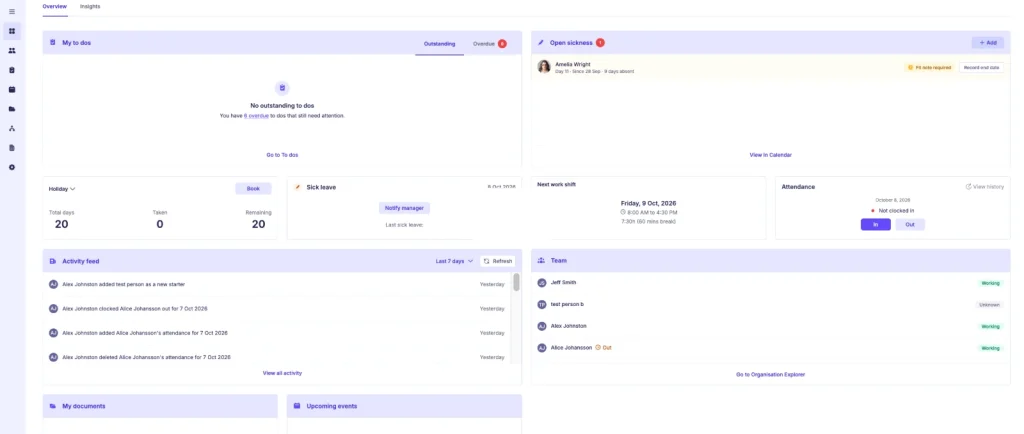
Sense HR brings work patterns, clocking, verification, approval and payroll reporting into the same environment as employee records and leave. Its published clocking options include an app, card-based Sense Clock, one-time phone QR codes, Anviz fingerprint and face clocks, and AutoClock using badges or tags and gateways.
Why shortlist it: different sites can use different methods. That matters if office employees use phones but warehouse or frontline staff need physical equipment. Start with the clocking options and test the method your employees would actually use.
What to check: basic clocking and full timesheet management are not the same package. The pricing page places timesheets, flexi-time, TOIL and overtime on Elite and Enterprise. Confirm hardware quantities, connectivity, approval rules and how exceptions reach payroll.
Cost considerations: Elite is listed at £6 per employee per month on annual billing, with a £300 monthly minimum covering up to 50 users, excluding VAT. Hardware is additional. Read current pricing and request a quote for the full setup.
Potential trade-off: if you only need a simple digital sign-in record, a broader HR and attendance configuration may be more than you need. Make the decision around the work it replaces.
2. Deputy: for businesses putting shift scheduling at the centre
Deputy’s UK site presents a shift-work platform with scheduling, timekeeping, HR, leave, communications and analytics. It should therefore be evaluated as more than a standalone rota builder.
Why shortlist it: it is a relevant candidate when scheduling and the day-to-day management of shift teams are central to the purchase. Explore how changes to a rota affect the subsequent timesheet and approval process.
What to check: ask which HR functions are available in the proposed UK configuration, how workers clock in and what happens when recorded hours differ from scheduled hours. Demonstrate a manager correction and trace it through to payroll.
Cost and trade-off: get a current UK quote covering the modules you need. Compare the cost and administration of the complete configuration rather than assuming all published functions are included in the entry plan. Source: Deputy UK.
3. RotaCloud: for employers starting with rota planning
RotaCloud publishes rota planning, time and attendance, automatic timesheets, payroll integrations, holiday management, absence management and HR tools. Its scope goes beyond simply publishing shifts.
Why shortlist it: it is worth assessing when your first problem is getting rotas, staff availability and recorded hours into a consistent process. Test the employee experience as well as the manager’s planning screen.
What to check: establish which elements are included in the quote and how attendance exceptions are handled. If verification is important, ask what evidence is captured and what a manager sees when something needs checking.
Cost and trade-off: compare the package that includes your actual attendance and HR requirements. If you retain another HR system, agree which record is authoritative and how changes are transferred. Source: RotaCloud.
4. BrightHR with Blip: for clocking alongside a wider HR offering
BrightHR’s Blip supports clocking, geolocation, QR codes, reminders and timesheet reporting. Its current page also describes clocking through work computers as an alternative to personal smartphones.
Why shortlist it: it is relevant when you want to assess attendance alongside a broader HR service package. BrightHR markets additional HR, advice, health and safety and payroll offerings; confirm the exact bundle rather than assuming they are all included.
What to check: demonstrate the device options, site boundaries, missed-clock reminders and reporting. Establish what happens when an employee cannot use a phone or a location check is inaccurate.
Cost and trade-off: request an itemised quote and distinguish software from optional advice, insurance or payroll services. Make sure the attendance process meets your needs before considering the wider bundle. Source: BrightHR’s clocking page.
5. Planday: for scheduling and hourly workforce management
Planday presents a workforce management platform focused on scheduling and time tracking. It is a relevant candidate for employers looking to connect shift planning with recorded working time.
Why shortlist it: consider it when your buying decision starts with hourly teams and the management of shifts. Use a representative week, including a shift change and an absence, to assess the workflow.
What to check: demonstrate clocking, editing, approval and the transfer of approved hours. If a particular payroll or accounting connection matters, confirm the UK product, edition and data supported rather than relying on a partner logo.
Cost and trade-off: obtain current pricing for the required plan, minimum users and integrations. Compare how much HR information can remain in the platform and what needs another system. Source: Planday.
6. Bizimply: for multi-location workforce operations
Bizimply publishes scheduling, time and attendance, core HR, team communication and payroll options. Its site describes managing teams across multiple locations.
Why shortlist it: it is worth investigating when site managers need a shared process for rotas, hours and employee information. Ask to see reporting across locations as well as a single venue.
What to check: demonstrate an employee working at more than one location, a timesheet correction and the approval responsibilities at each site. Confirm the required clocking equipment and payroll arrangement.
Cost and trade-off: request a quote covering each module, site and device involved. Clarify whether the proposed payroll option is a software connection, export or managed service, and confirm UK availability. Source: Bizimply.
How to choose a clocking method
Clocking records an event. Location evidence, credential checks and biometric matching answer different questions. None should be described as an infallible proof that every recorded minute was worked.
| Method | Useful evidence | Main limitation to test |
|---|---|---|
| Mobile app with location check | Account activity and the device’s reported location | Location accuracy, connectivity, device sharing and alternatives for workers without phones |
| Card or fob terminal | A credential used at a particular clock | A card can be lost, lent or used by someone else. |
| One-time QR workflow | A single-use transaction, depending on the implementation | Single use alone does not prove the holder’s identity. Ask how the code is issued, linked to an account and protected. |
| Fingerprint or face recognition | A biometric match against an enrolled template | Lawful use, matching errors, accessibility, security and a workable alternative |
| Badge or tag detection | Presence of the device within the configured detection area | The device’s presence is not automatically proof of the person’s activity; test coverage and handling of lost or shared devices. |
For a warehouse, test shift-change queues and missed punches. For cleaners visiting client premises, test arrival, departure and movement between sites. For office staff, a simpler app or desktop process may be sufficient. These are evaluation scenarios, not promises that a particular method suits every employer in that sector.
The payroll test every supplier should pass
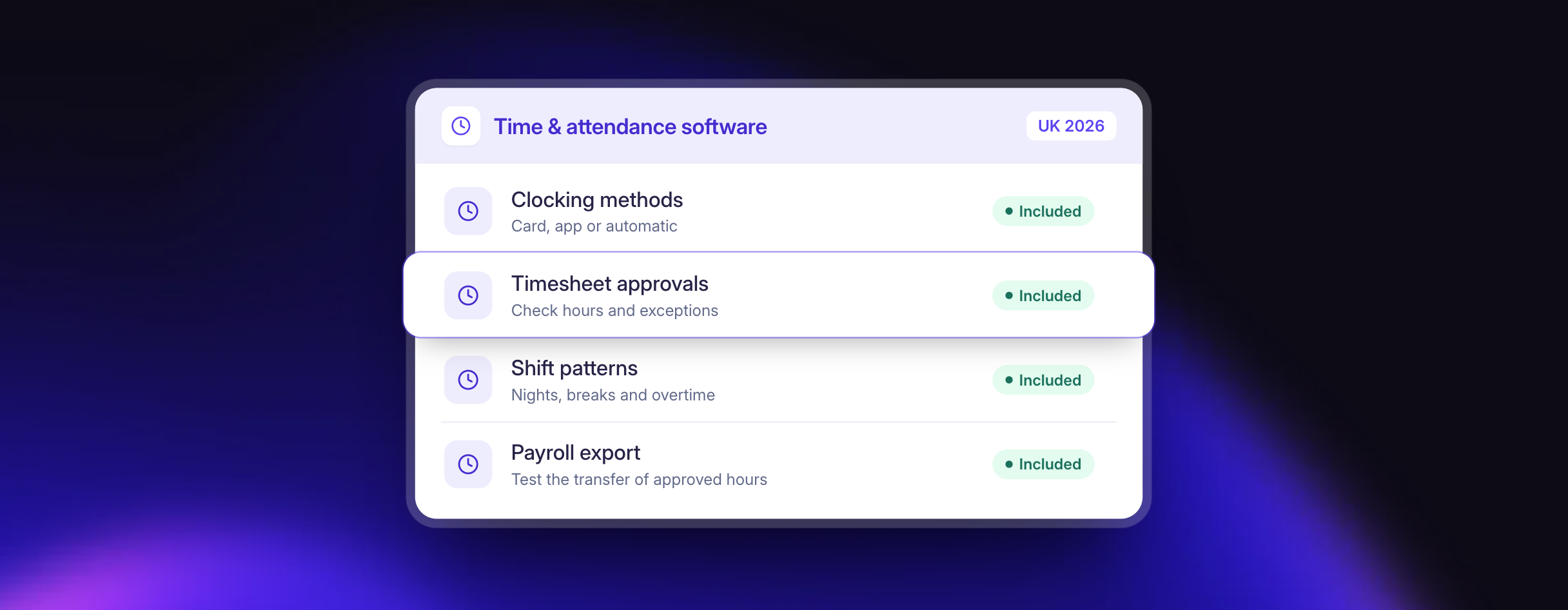
Ask for one complete demonstration using an overnight shift, a missed clock-out, an unpaid break and an approved adjustment. The supplier should show each stage, not stop at an attractive timesheet.
- Record: show the original entries and their dates, including a shift crossing midnight.
- Compare: show how the system identifies a missing event or difference from the expected pattern.
- Review: let the manager investigate and let the worker explain an error.
- Correct: show who changed the record, why and when, without losing the original evidence.
- Approve: confirm who signs off the hours and what happens after approval.
- Transfer: produce the payroll output and demonstrate how failed transfers or later corrections are handled.
Also test an interrupted connection, an employee moving sites and a clock changing for daylight saving. Ask for the actual behaviour; do not assume offline recording or automatic recovery is available.
A useful pilot compares the approved output with a payroll run you already understand. Investigate discrepancies before expanding to every site. The aim is a dependable process, including exceptions, rather than simply increasing the number of digital clock-ins.
How clock-time rounding can create a minimum wage problem
Rounding recorded hours in the employer’s favour can push a worker below the National Minimum Wage, even when their hourly rate is legal. Minimum wage compliance is assessed on pay for the time actually worked, so trimmed minutes count.
Illustrative example: a worker aged 21 or over is paid the £12.71 National Living Wage that applies from 1 April 2026. Their clock-in is rounded to the next quarter hour, trimming an average of 7 minutes from each of 5 shifts a week.
| Period | Unpaid time | Value at £12.71 per hour |
|---|---|---|
| Four weeks | 140 minutes (2.33 hours) | £29.66 |
| One year (12 × four weeks) | 28 hours | £355.88 |
| One year, 100 workers on the same pattern | 2,800 hours | £35,588 |
For a worker paid exactly the minimum rate, any unpaid working time is an underpayment that has to be repaid, and arrears are calculated at current rates. Check the current rates on GOV.UK. Demo task: ask each supplier to show its rounding settings, whether rounding is applied symmetrically, and whether the original unrounded clock time is kept alongside the payable time.
Can you keep your current HR, rota or payroll system?
Yes, where the chosen product supports the connection you need. Before buying, identify which system owns employee details, working patterns, leave and approved hours. Otherwise, two systems can quietly hold different versions of the same record.
Sense’s attendance page describes working alongside existing HR, rota and payroll platforms, including rota connections and the ability to share attendance data with other HR systems. Its integrations page lists native payroll connectors and API options. Verify the exact configuration, data direction and commercial terms for your stack. See Sense’s attendance overview and integration details.
Keeping a familiar system can reduce disruption. It also creates an interface that someone must own. Ask who investigates a mismatch, who maintains the connection and how you can reconcile the data.
UK compliance questions to ask before buying
Working time and minimum wage evidence
Attendance records can support working time and pay checks, but software does not determine compliance on its own. In Great Britain, regulation 9 requires adequate records for relevant working time limits, retained for two years. It does not impose a universal requirement to log every worker’s daily hours where compliance can be shown adequately another way. See the working time record provision.
Minimum wage records must demonstrate the appropriate pay for the relevant working time and be retained for at least six years. Check the current GOV.UK employer guidance. A scheduled shift, a building-entry event and payable working time are not necessarily identical; your process needs to handle the differences.
Holiday records
From 6 April 2026, employers in Great Britain must keep adequate holiday records for six years from creation. For qualifying irregular-hours workers, approved hours may feed the entitlement calculation, but leave and holiday-pay evidence must also be retained. See Acas’s record guidance. Northern Ireland has separate rules.
Biometrics and location monitoring
Do not treat a fingerprint or face clock as lawful simply because it is available to buy. Biometric identification needs an appropriate lawful basis and special-category condition, alongside the required assessment and safeguards. A DPIA and a non-biometric alternative are not substitutes for establishing lawful processing.
The ICO’s Serco Leisure enforcement action illustrates the issue: the regulator challenged necessity and proportionality where less intrusive methods were available. Evaluate the genuine need before choosing the hardware.
Set retention rules by data type and purpose. A six-year obligation for particular payroll or holiday evidence is not an instruction to retain every location point or biometric template for six years. Explain monitoring to workers, restrict access and provide a route to challenge incorrect records.
What does time and attendance software really cost?
Compare the annual cost of the configuration you will actually use. Include:
- Software subscriptions, minimum charges and billing commitments
- Clocks, badges, gateways or other equipment
- Connectivity, installation and any site preparation
- Training, migration and integration work
- Replacement devices, support arrangements and expansion to new sites
- Your team’s time checking the pilot and training managers
For a purely illustrative quote, £4 per employee per month for 100 workers is £4,800 annually. Two devices at £300 each and £400 of training bring the first-year supplier cost to £5,800 before VAT. These are hypothetical figures, not published prices for any shortlisted vendor.
Ask for year-one and renewal-year totals. If a supplier estimates time savings, compare them against your own baseline: minutes spent checking hours, corrections per payroll run and unresolved exceptions. Do not assume a marketing percentage will apply to your workforce.
For a wider HR purchase, see our UK small-business HR software comparison. For leave processes, explore holiday management in Sense HR.
Frequently asked questions
What is the difference between time tracking and time and attendance?
Time tracking records duration, often for projects or billing. Time and attendance usually adds work patterns, attendance exceptions, approvals and payroll preparation. Product labels overlap, so test the workflow you need.
Can employees clock in without a smartphone?
Depending on the supplier and configuration, alternatives include terminals, cards, shared devices, desktop access and badges. Ask to see the exact option in the quoted plan.
Does a clocking system stop buddy clocking?
It can reduce opportunities or flag unusual events, depending on the controls. It does not remove the need for proportionate investigation. An alert is a reason to review a record, not proof of misconduct.
How long does implementation take?
It depends on sites, hardware, integrations and data preparation. Agree milestones for configuration, pilot approval, manager training and rollout. Ask for a scoped timetable rather than relying on a generic implementation estimate.
Which is the best option for my business?
Shortlist around your hardest requirement: rota management, physical clocking, multi-site approvals, connected HR or payroll handoff. Run the same demo test with each supplier and compare the complete price and remaining manual work.
See whether Sense fits your working day
Book a Sense HR demo and bring a working pattern, a payroll requirement and one attendance exception. We can show the relevant clocking options and approval process. You can also watch the four-minute product tour or start a free trial.
How this shortlist was put together
Disclosure: this article is published by Sense HR, which is included in the comparison. The shortlist is based on public supplier information reviewed on 3 November 2026. It is not an independent laboratory test, and we have not carried out hands-on testing of all six products.
We considered clocking, scheduling, HR coverage, payroll workflow and the questions a UK employer should resolve before buying. “Suitable for” describes a use case suggested by published capabilities, not a universal ranking. Features, regional availability, plans and prices can change. A missing detail in this article does not mean a supplier lacks that capability.
Supplier information and sources checked: 3 November 2026. Published by Sense HR. This is a public-information shortlist, not an independently tested ranking. Confirm current features, UK availability, prices and contractual terms directly with each supplier.