Meet Report Assist
AI agent Report Assist helps you build new reports, and makes them behave the way you want, to ensure they are exported in the right format, with the right fields and filters, every time they are generated.
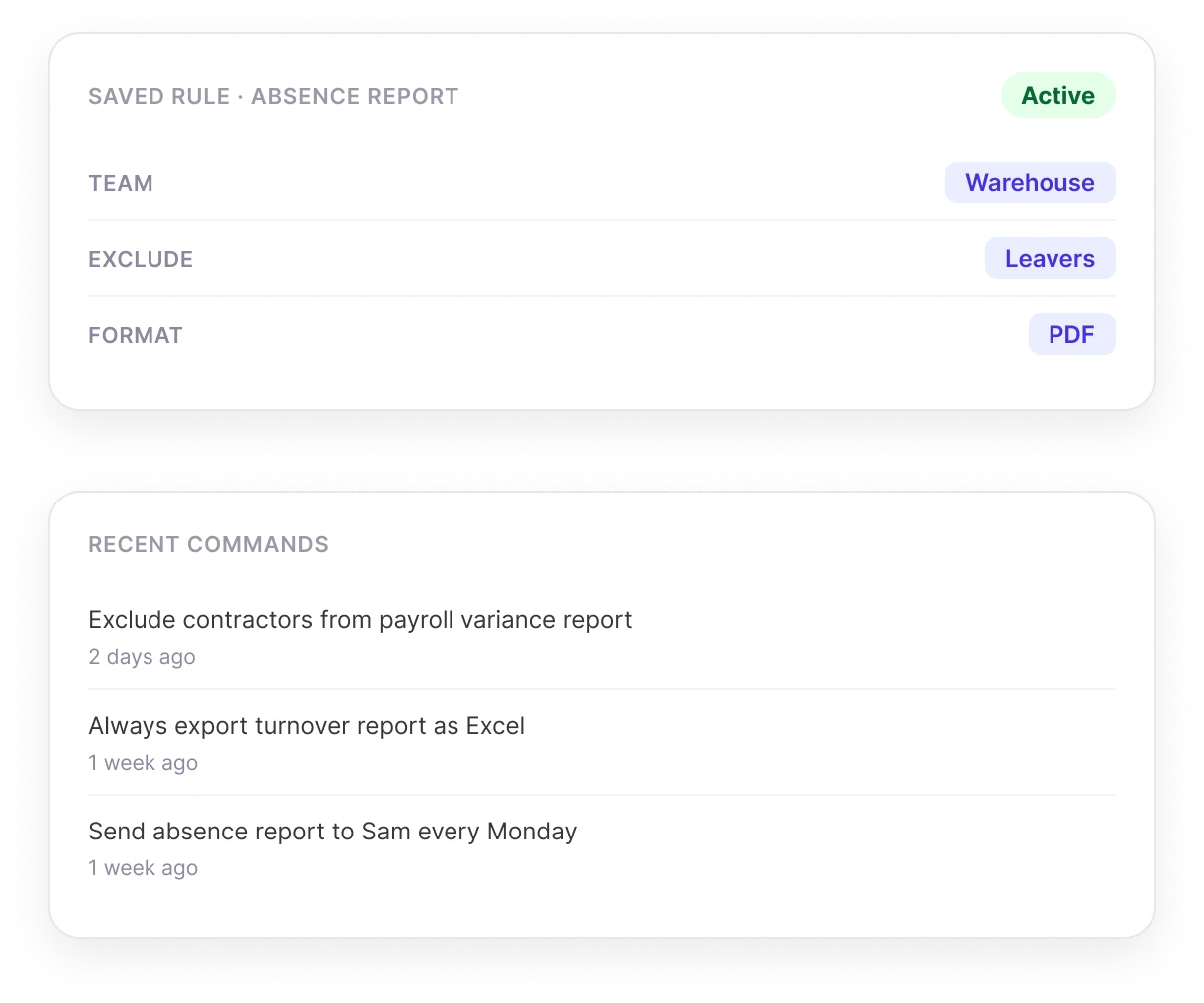
Build me a monthly absence report for Warehouse, exclude leavers, export as PDF.
Got it! saved as a rule. This report will always exclude leavers and export as PDF from now on.
Watch this short video to learn more about Report Assist
 Report Assist: set the rule once, run it forever
See How Report Assist Works
- 01Describe Your ReportJust tell Report Assist what you want to report on.
- 02Explain The RulesType the rules you want Report Assist to stick to.
- 03Select FormatTell Report Assist the format your report should export in.
- 04See The ResultsReports you run will use your specified fields, filters and formats.
- 05Set The ScheduleDecide how often each report should update or run.
- 06Send To StakeholdersChoose who to send each report to each time it updates.
Report Assist takes the manual effort out of configuring your different reports or data queries. You can tell it in plain English what data to use and what rules to apply, and it remembers for next time.
Set The Rules Once
Describe what you want once, in plain English, and Report Assist applies the same logic every time.
- Describe Your ReportsReport Assist listens to the type of report you want to build, and builds it for you, letting you check and customise details before the report gets run.
- Define Rules OnceTell Report Assist which rules to apply - fields, filters, format -- and let Report Assist apply your logic to all future reports automatically.
- Type Your CommandNo need to manually configure settings or filters - just tell Report Assist how the report should be handled, and let it interpret your instructions and apply them.
Deliver Like Clockwork
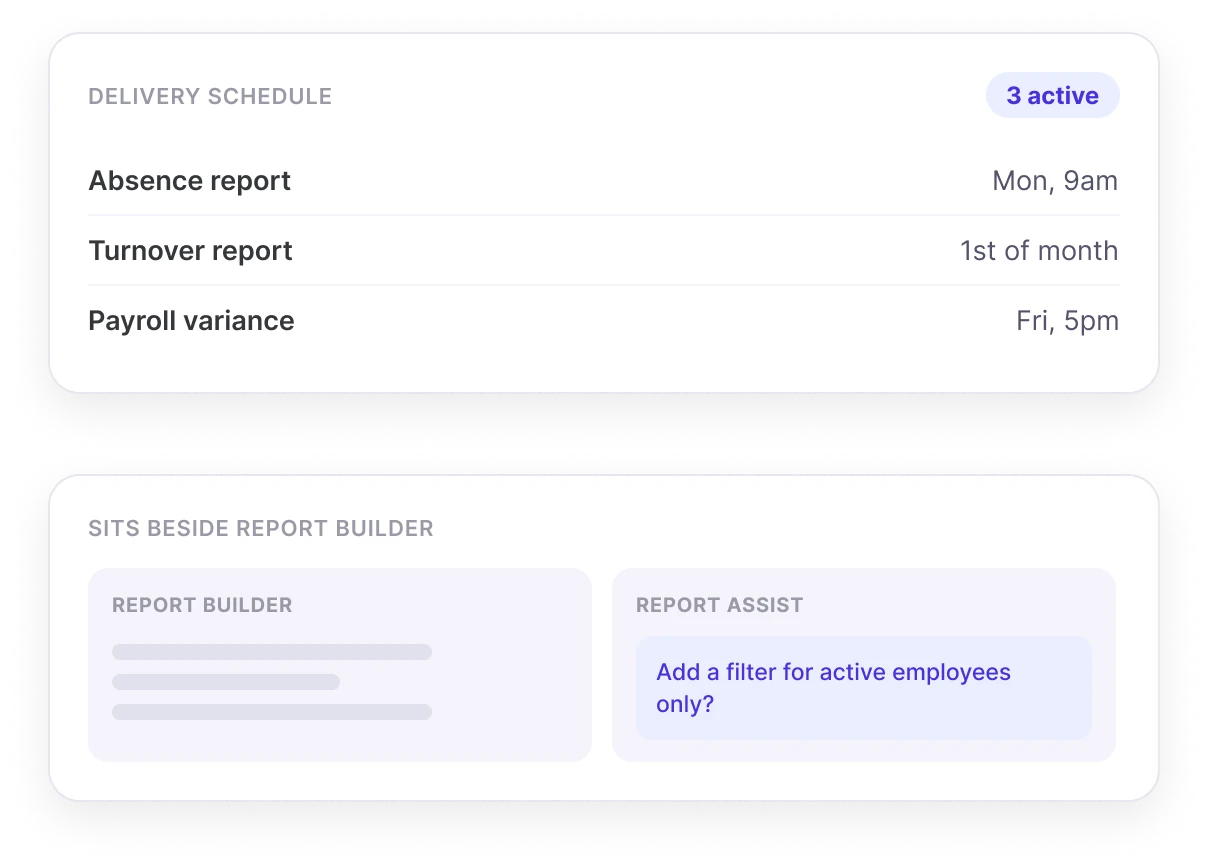
Automatic delivery to the right people, or a helping hand inside your existing report builder.
- Deliver Reports AutomaticallyTell Report Assist when to generate certain reports, and who to send them to - to ensure each department or individual gets the updates they need, on time.
- Sits Beside Report BuilderReport Assist sits with you in your manual report builder, letting you combine manual and prompt-based setup, or to simply give you a helping hand if you get stuck.
Meet Report Assist in Person!
Share your contact details and one of our HR experts will be in touch to show you how Report Assist can transform how you build, configure and deliver your HR reports.
Common questions
What is Report Assist?
Report Assist is an AI agent within Sense HR that helps build and configure reports, letting a user describe what they want in plain English, and then applying the same fields, filters and export format every time that report is run.
How does Report Assist save time on recurring reports?
Instead of manually rebuilding the same report each time it's needed, a user describes the rules once, such as which fields, filters and export format to use, and Report Assist applies that same logic automatically every time the report is generated.
Can Report Assist schedule reports to be sent automatically?
Yes. Report Assist can be told when to generate a report and who to send it to, so the right people receive it automatically without needing to be asked each time.
Does Report Assist replace the existing report builder in Sense HR?
No. Report Assist works alongside the existing report builder, and can either build and configure a report entirely from a prompt, or provide assistance if a user gets stuck while working in the manual builder.
Can I set different export formats for different reports?
Yes. Report Assist lets a user specify the export format a given report should use, and will apply that format consistently every time the report runs.
How can HR teams standardise recurring reports?
A common cause of inconsistent reporting is different people rebuilding the same report manually, and applying slightly different fields or filters each time. Defining a report's rules once, and having those rules applied automatically every time it's generated, removes that inconsistency.
What's a common mistake in HR reporting?
A common mistake is manually rebuilding the same report from scratch each time it's needed, which increases the chance of using different filters, fields or formats between versions, making it harder to compare results over time.
How can businesses keep HR report exports GDPR compliant?
Good practice includes limiting exported fields to what's actually needed for that report's purpose, being consistent about who reports are sent to, and using a platform that keeps underlying HR data in a compliant, UK-hosted environment, so exports draw from data that's already properly governed.
Why do businesses automate recurring reports?
Automating recurring reports reduces the manual effort of rebuilding them each time, ensures the same rules and formats are applied consistently, and makes sure the right people receive updates on schedule rather than relying on someone remembering to run and send the report manually.
Is data used in Report Assist reports kept secure?
Yes. Reports generated by Report Assist draw on data held within Sense HR's ISO 27001 certified, UK-hosted, GDPR-compliant platform, and that data is never used to train any AI models.